
Welcome to the World of Embedded Systems – Where Code Meets the Physical
Microcontrollers are the silent brains behind nearly every modern electronic device—from smartwatches and thermostats to drones and industrial robots. An embedded system is a dedicated computer built to perform specific tasks, and at its heart lies a microcontroller. Understanding how to program these tiny yet powerful chips is the key to unlocking innovation in robotics, automation, consumer electronics, and the Internet of Things (IoT).
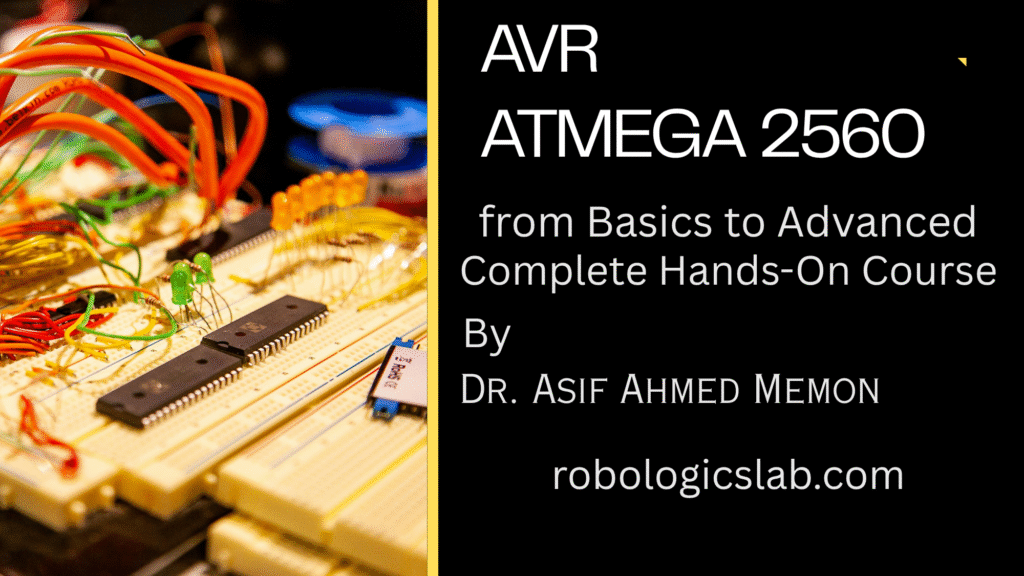
Why AVR and the ATmega2560?
Among the many microcontroller families, AVR stands out for its clean architecture, efficiency, and widespread use. The ATmega2560 – the chip powering the Arduino Mega 2560 board – offers a generous 256KB of flash memory, 8KB of SRAM, and a staggering 86 I/O pins. This makes it an incredibly versatile choice for complex projects that outgrow smaller boards.
The Arduino Ecosystem: Your Launchpad
The Arduino ecosystem bridges the gap between raw AVR hardware and rapid prototyping. While many courses focus solely on Arduino’s high-level abstractions, this course goes deeper: we’ll use the Arduino board as a reliable hardware platform while programming the ATmega2560 at the register level. You’ll understand exactly what happens when you call digitalWrite() – then learn to do it faster and more efficiently yourself.
Learn by Building, Not Just Reading
This is a hands-on, project-driven course. Theory exists to serve practice. You’ll work with real hardware – LEDs, sensors, motors, displays – and master:
- GPIO bit manipulation
- Timers for precise delays and PWM
- Interrupts for real-time responsiveness
- Communication protocols: UART, SPI, I2C
What You’ll Achieve
By the end, you’ll confidently design and debug complete embedded systems – from a custom multimeter to an autonomous sensor node.
Who This Course Is For
Whether you’re a curious beginner, a student brushing up on embedded fundamentals, a hobbyist ready to move beyond drag-and-drop coding, or an aspiring embedded engineer building a portfolio – this course provides a clear, hardware-validated roadmap from basics to advanced AVR system design.
Let’s turn theor
Getting Under the Hood: The ATmega2560 Microcontroller
Now that we’ve set the stage, let’s meet the star of our course: the ATmega2560. This isn’t just a larger version of the classic ATmega328P (found on the Uno); it’s a feature-packed beast designed for serious embedded applications. Understanding its capabilities is the first step toward mastering it.
Core Architecture & Memory
At its heart, the ATmega2560 is an 8-bit AVR RISC microcontroller. That “8-bit” means it processes data in 8-bit chunks, but don’t let that fool you – its speed and efficiency come from executing most instructions in a single clock cycle. Key memory specs include:
- 256KB In-System Programmable Flash – room for substantial firmware
- 8KB SRAM – for runtime data and variables
- 4KB EEPROM – non-volatile storage that survives power loss
It runs at up to 16 MHz, providing deterministic timing perfect for real-time control.
Comprehensive Feature Set & Peripherals
What makes the ATmega2560 truly powerful is its rich suite of onboard peripherals. You don’t need external chips for most tasks – it’s all built in:
| Peripheral Type | Details |
|---|---|
| Digital I/O Pins | 86 programmable I/O lines (most are multifunctional) |
| Analog Inputs | 16-channel, 10-bit Analog-to-Digital Converter (ADC) |
| Timers/Counters | 6 timers: two 8-bit, four 16-bit – ideal for PWM, capture, compare |
| PWM Channels | Up to 15 channels for motor control, dimming LEDs, audio generation |
| Communication | 4 UARTs (serial), 1 SPI, 1 TWI (I²C compatible) |
| External Interrupts | 6 pins for wake-on-signal responsiveness |
| Other Specialties | JTAG interface (debugging), analog comparator, watchdog timer |
This peripheral set means you can simultaneously run a motor (PWM), log sensor data (ADC), communicate over serial (UART), and talk to an I²C accelerometer – all on one chip.
The Pin-Out Reality: Raw Chip vs. Arduino Board
Here’s where many learners get confused – and where this course provides clarity. The ATmega2560 chip has 100 pins. The Arduino Mega 2560 board routes a subset of those to convenient headers, adds voltage regulation, USB-to-serial, and resets circuitry. Knowing the mapping is essential for moving beyond “sketches” into real embedded design.
Below is the definitive reference table for the most commonly used pins. Learn this, and you’ll never feel lost again.
| ATmega2560 Pin Name | Arduino Mega 2560 Label | Function(s) | Notes / Best Used For |
|---|---|---|---|
| PE0 (PDI) | Pin 0 (RX0) | UART0 Receive (RX) | Serial debugging via USB |
| PE1 (PDO) | Pin 1 (TX0) | UART0 Transmit (TX) | |
| PE2..PE5 | Pins 2–5 | External Interrupts (INT4–INT7) | Hardware-triggered events |
| PG5 | Pin 4 | OC0B (PWM) | Timer 0 PWM output |
| PH3 | Pin 6 | OC4A (PWM) | Timer 4 PWM output |
| PH4 | Pin 7 | OC4B (PWM) | |
| PH5 | Pin 8 | OC4C (PWM) | |
| PH6 | Pin 9 | OC2B (PWM) | |
| PB4 | Pin 10 | OC2A / SS (SPI Slave Select) | PWM or SPI chip select |
| PB5 | Pin 11 | OC1A / MOSI | PWM (Timer 1) or SPI master out |
| PB6 | Pin 12 | OC1B / MISO | PWM or SPI master in |
| PB7 | Pin 13 | OC0A / SCK | PWM or SPI clock; onboard LED |
| PJ0 | Pin 14 (TX3) | UART3 Transmit | Third hardware serial port |
| PJ1 | Pin 15 (RX3) | UART3 Receive | |
| PK0..PK7 | Pins A8–A15 | ADC8–ADC15 | Analog inputs (pins A8 through A15) |
| PF0..PF7 | Pins A0–A7 | ADC0–ADC7 | Analog inputs (pins A0 through A7) |
| PL0 | Pin 49 | OC5C (PWM) | Timer 5 PWM output |
| PL1 | Pin 48 | OC5B (PWM) | |
| PL2 | Pin 47 | OC5A (PWM) | |
| PL3 | Pin 46 | OC5A (alternate) | |
| PG2 | Pin 44 | OC3B (PWM) | Timer 3 PWM output |
| PG3 | Pin 45 | OC3C (PWM) | |
| PG0 | Pin 41 | OC0B (alternate) | |
| PG1 | Pin 40 | OC0A (alternate) | |
| PD0 | Pin 21 (SDA) | I²C Data (TWI) | For I²C sensors (pull-up required) |
| PD1 | Pin 20 (SCL) | I²C Clock | |
| PB2 | Pin 50 (MISO) | SPI MISO (master in, slave out) | SPI bus communication |
| PB1 | Pin 51 (MOSI) | SPI MOSI | |
| PB0 | Pin 52 (SCK) | SPI Clock | |
| PB3 | Pin 53 (SS) | SPI Slave Select | Hardware SS pin |
| RESET | RESET | Active-low reset | Pull high via 10k resistor |
Key Insight: Notice that many Arduino pins (e.g., 44, 45, 46) are actually PWM-capable because they map to Timer 3 and Timer 5 outputs. Similarly, the extra UARTs (Serial1, Serial2, Serial3 on pins 14–19) are native to the ATmega2560, not added by the Arduino board.
Why This Matters for Your Learning Journey
By the end of this course, you won’t just plug wires into numbered headers – you’ll know which timer is generating your PWM, which interrupt vector triggers your ISR, and how to route signals directly from the chip’s pins. This knowledge transforms you from an Arduino user into an embedded designer.
In the next section, we’ll set up your development environment: writing raw C code for the ATmega2560 while still using the Arduino Mega board as your trusty hardware testbed. Stay tuned – the hands-on work begins now.y into action.
Digital I/O: Speaking the Microcontroller’s Language
A microcontroller without I/O pins is like a person without hands – intelligent but incapable of interacting with the world. The ATmega2560 provides 86 programmable digital I/O pins, organized into 11 ports (Port A through Port L, excluding a few reserved pins). Each port is an 8-bit wide register that you can read from or write to – meaning you control eight pins with a single byte of data.
The Three Registers That Rule Every Pin
For any I/O pin on the ATmega2560, three registers determine its behavior. Learn these, and you control everything:
| Register | Full Name | What It Does | Bit Value Meaning |
|---|---|---|---|
| DDRx | Data Direction Register | Sets pin as input or output | 1 = Output, 0 = Input |
| PORTx | Data Register | Sets output value or enables/disables pull-up | Output mode: 1 = HIGH, 0 = LOW Input mode: 1 = Pull-up ON, 0 = Pull-up OFF (high-impedance) |
| PINx | Input Pins Address | Reads the actual logic level on the pin (input mode) | Reading returns 0 or 1 from external signal |
Where ‘x’ is the port letter: A, B, C, D, E, F, G, H, J, K, L
The Concept: How One Bit Controls One Pin
Each pin corresponds to exactly one bit position within these three registers. For example, Pin 13 on the Arduino Mega (the built-in LED) is actually PB7 – Port B, bit 7. That means:
DDRBbit 7 → direction of pin 13PORTBbit 7 → output value (if DDRB bit 7 = 1)PINBbit 7 → actual voltage read (0V or 5V)
Bit Manipulation in C for AVR – The Essential Toolkit
You cannot use normal variable assignment for individual pins – that would affect all 8 pins simultaneously. Instead, you use bitwise operators. These are your precision tools:
| Operation | C Operator | Example (Set bit 3 of PORTB) | Effect |
|---|---|---|---|
| Set a bit to 1 | |= (OR) | PORTB |= (1 << 3); | Turns bit 3 ON, others unchanged |
| Clear a bit to 0 | &= (AND with NOT) | PORTB &= ~(1 << 3); | Turns bit 3 OFF, others unchanged |
| Toggle a bit | ^= (XOR) | PORTB ^= (1 << 3); | Flips bit 3 (1→0, 0→1) |
| Read a single bit | & (AND) | (PINB & (1 << 3)) != 0 | Returns 1 if bit 3 is HIGH, else 0 |
The
(1 << n)pattern: This creates a “mask” with a 1 only at bit positionn. Bit positions are 0-indexed (bit 0 = least significant bit).
Practical Example 1: Blinking an LED Without digitalWrite()
Let’s blink the built-in LED on pin 13 (PB7) using raw register access. This is what happens “under the hood” when you call digitalWrite() – but three times faster.
#include <avr/io.h>
#include <util/delay.h>

int main(void) {
    // Step 1: Set PB7 as output (DDRB bit 7 = 1)
    DDRB |= (1 << 7);      // 1 << 7 = 0b10000000

    while(1) {
        // Step 2: Turn LED ON (PORTB bit 7 = 1)
        PORTB |= (1 << 7);
        _delay_ms(500);

        // Step 3: Turn LED OFF (PORTB bit 7 = 0)
        PORTB &= ~(1 << 7);
        _delay_ms(500);
    }
}
Practical Example 2: Reading a Button (Pull-up Enabled)
Connect a button between pin 22 (PF0) and GND. No external resistor needed – we’ll use the internal pull-up.
#include <avr/io.h>
#include <util/delay.h>

int main(void) {
    // Set LED pin PB7 as output
    DDRB |= (1 << 7);

    // Set button pin PF0 as input
    DDRF &= ~(1 << 0);      // 0 = input

    // Enable pull-up on PF0 (so pin reads HIGH when button open)
    PORTF |= (1 << 0);      // Yes, PORTF even though it's input!

    while(1) {
        // Read button: if pressed, PF0 reads LOW because button shorts to GND
        if ((PINF & (1 << 0)) == 0) {  // Button pressed?
            PORTB |= (1 << 7);         // LED ON
        } else {
            PORTB &= ~(1 << 7);        // LED OFF
        }
        _delay_ms(50);  // Simple debounce
    }
}
Understanding the pull-up logic: When button is open, PF0 sees 5V via the internal resistor → reads 1. When button closes to GND, PF0 sees 0V → reads 0. That’s why we check == 0 for “pressed”.
Practical Example 3: Toggling an LED Each Button Press (Interrupt-free)
This demonstrates reading, debouncing, and toggling with bitwise XOR.
#include <avr/io.h>
#include <util/delay.h>

int main(void) {
    DDRB |= (1 << 7);       // PB7 as output (LED)
    DDRF &= ~(1 << 0);      // PF0 as input (button)
    PORTF |= (1 << 0);      // Enable pull-up

    uint8_t last_state = 1;   // Track previous button state
    uint8_t led_state = 0;    // Track LED state

    while(1) {
        uint8_t current_state = (PINF & (1 << 0)) ? 1 : 0;

        // Detect falling edge: button was released (1) and now pressed (0)
        if (last_state == 1 && current_state == 0) {
            led_state ^= 1;               // Toggle LED state using XOR
            if (led_state) {
                PORTB |= (1 << 7);        // ON
            } else {
                PORTB &= ~(1 << 7);       // OFF
            }
            _delay_ms(50);                // Debounce delay
        }
        last_state = current_state;
        _delay_ms(10);  // Small delay between reads
    }
}
Quick Reference: Common Port-to-Pin Mappings on Arduino Mega
| Arduino Pin | Port & Bit | DDRx | PORTx | PINx |
|---|---|---|---|---|
| 13 (LED) | PB7 | DDRB | PORTB | PINB |
| 10 (SS) | PB4 | DDRB | PORTB | PINB |
| 50 (MISO) | PB2 | DDRB | PORTB | PINB |
| 22–29 | PA0–PA7 | DDRA | PORTA | PINA |
| 30–37 | PC0–PC7 | DDRC | PORTC | PINC |
| 38–45 | PD0–PD7 | DDRD | PORTD | PIND |
| 46–49 | PL0–PL3 | DDRL | PORTL | PINL |
| A0–A7 | PF0–PF7 | DDRF | PORTF | PINF |
| A8–A15 | PK0–PK7 | DDRK | PORTK | PINK |
Common Mistakes to Avoid
❌ Writing to PINx – PINx is read-only. You never write to it.
❌ Forgetting to set DDRx – Default is input. Your pin won’t output anything.
❌ Using PORTx on an input without pull-up – That’s fine if you want high-impedance. But most beginners wonder why their floating pin reads random values.
✅ Rule of thumb: Input? Set DDRx bit = 0. Want pull-up? Set PORTx bit = 1. Want output? Set DDRx bit = 1, then use PORTx to set HIGH/LOW.
Introduction to Timer Operation
So far, we’ve used _delay_ms() to create pauses in our code. But here’s the hard truth about embedded systems: software delays waste CPU cycles. While your microcontroller sits in a delay loop, it cannot read a sensor, respond to a button, or communicate over UART. For any real-world application – from motor control to pulse measurement – you need hardware timers.
What Are Timers, Really?
A timer is simply a hardware counter that increments at a fixed rate, independent of your main program. Think of it as a digital stopwatch running in the background. The ATmega2560 contains six independent timers:
| Timer | Resolution | Key Features |
|---|---|---|
| Timer0 | 8-bit (0–255) | Simple timing, PWM on pins 4 and 13 |
| Timer1 | 16-bit (0–65,535) | Most versatile – input capture, dual PWM, large range |
| Timer2 | 8-bit (0–255) | Asynchronous mode (can run while chip sleeps) |
| Timer3 | 16-bit (0–65,535) | Identical to Timer1, on pins 2, 3, 5 |
| Timer4 | 16-bit (0–65,535) | PWM on pins 6, 7, 8 |
| Timer5 | 16-bit (0–65,535) | PWM on pins 46, 47, 48 |
The 8-bit vs. 16-bit difference: An 8-bit timer counts from 0 to 255 then rolls over to 0. A 16-bit timer counts from 0 to 65,535 – giving you much longer timing ranges and finer resolution.
How a Timer Counts: The Prescaler
Nothing happens instantly. The timer increments on each tick of its clock source – typically the system clock (16 MHz on the Arduino Mega). But 16 million ticks per second is far too fast for most timing needs. That’s where the prescaler comes in.
The prescaler divides the system clock before feeding it to the timer:
| Prescaler | Effective Clock | Time per Tick | Max Time (8-bit) | Max Time (16-bit) |
|---|---|---|---|---|
| 1 (no division) | 16 MHz | 62.5 ns | 16 µs | 4.1 ms |
| 8 | 2 MHz | 0.5 µs | 128 µs | 32.8 ms |
| 64 | 250 kHz | 4 µs | 1.02 ms | 262 ms |
| 256 | 62.5 kHz | 16 µs | 4.1 ms | 1.05 seconds |
| 1024 | 15.625 kHz | 64 µs | 16.4 ms | 4.19 seconds |
Practical insight: To blink an LED once per second, you wouldn’t set a 16-bit timer to count to 16 million – it can’t. Instead, you use a prescaler of 1024 and count to 15,625 (which equals 1 second at 16 MHz ÷ 1024).
The Three Timer Modes You Must Know
Every timer on the ATmega2560 can operate in three fundamental modes:
| Mode | What It Does | When to Use It |
|---|---|---|
| Normal Mode | Timer counts from 0 to maximum (255 or 65,535), then rolls over to 0 and sets a flag | Simple delays, measuring long periods, generating interrupts on overflow |
| CTC Mode (Clear Timer on Compare Match) | Timer counts to a value YOU set, then resets to 0 automatically | Precise intervals, variable frequencies, generating exact square waves |
| Fast PWM Mode | Timer counts from 0 to maximum, toggles output pin at compare match | Motor speed control, LED dimming, audio generation |
The Registers That Control Timers
Each timer uses a consistent set of registers. Here’s the system for Timer1 (16-bit) – learn this pattern, and you’ll understand all six:
| Register | Purpose | Bits That Matter |
|---|---|---|
| TCCR1A | Timer/Counter Control Register A | WGM10, WGM11 (mode selection bits) COM1A1, COM1A0 (output behavior) |
| TCCR1B | Timer/Counter Control Register B | CS12, CS11, CS10 (prescaler selection) WGM12, WGM13 (more mode bits) |
| TCNT1 | Timer/Counter Register (the actual count) | Read current count, write to reset counter |
| OCR1A | Output Compare Register A | Value to compare against TCNT1 |
| OCR1B | Output Compare Register B | Second compare value (for dual PWM) |
| TIMSK1 | Timer Interrupt Mask Register | OCIE1A, OCIE1B, TOIE1 (enable interrupts) |
| TIFR1 | Timer Interrupt Flag Register | OCF1A, OCF1B, TOV1 (interrupt flags – set by hardware) |
The Compare Match Concept: When
TCNT1equalsOCR1A, a flag is set. In CTC mode, the timer resets. In PWM mode, an output pin changes state. This is the heart of timer-based control.
Practical Example 1: 1-Second LED Blink Using Timer1 Overflow
No _delay_ms() – just pure hardware timing and interrupts.
#include <avr/io.h>
#include <avr/interrupt.h>

volatile uint16_t overflow_count = 0;  // Counts how many overflows

// Timer1 overflow interrupt service routine
ISR(TIMER1_OVF_vect) {
    overflow_count++;

    // 16,384 overflows = 1 second (each overflow = 61.035 µs × 16,384 ≈ 1 sec)
    if (overflow_count >= 16384) {
        PORTB ^= (1 << 7);   // Toggle LED on pin 13 (PB7)
        overflow_count = 0;
    }
}

int main(void) {
    // Setup LED pin
    DDRB |= (1 << 7);        // PB7 as output
    PORTB |= (1 << 7);       // Start with LED ON

    // Setup Timer1
    TCCR1B |= (1 << CS10) | (1 << CS11);  // Prescaler = 64 (16MHz/64 = 250kHz)
    // With prescaler 64: each tick = 4 µs, overflow happens at 65535 ticks = 262 ms
    // We'll count overflows instead of making the timer itself reach 1 second

    TIMSK1 |= (1 << TOIE1);   // Enable Timer1 overflow interrupt
    sei();                     // Enable global interrupts (very important!)

    while(1) {
        // Main loop is completely free to do other tasks!
        // The LED toggles automatically via interrupt
    }
}
Why this matters: Your main loop can now read sensors, process data, or communicate while the timer handles timing in the background. This is the foundation of real-time systems.
Practical Example 2: Precise 1 kHz Square Wave Using CTC Mode
This generates a perfect 1 kHz square wave on pin 11 (OC1A/PB5) without any software intervention.
#include <avr/io.h>

int main(void) {
    // Pin 11 (PB5) as output for OC1A (Timer1 PWM/CTC output)
    DDRB |= (1 << 5);

    // CTC Mode (Clear Timer on Compare Match)
    // WGM13=0, WGM12=1, WGM11=0, WGM10=0  → Mode 4 (CTC)
    TCCR1B |= (1 << WGM12);    // CTC mode
    TCCR1A = 0;                // No output yet

    // Set prescaler to 8: 16MHz/8 = 2MHz timer clock
    TCCR1B |= (1 << CS11);     // CS11=1, CS10=0 → prescaler 8

    // Set compare value: 2MHz / (2 × 1000 Hz) = 1000
    // We divide by 2 because one full square wave cycle requires HIGH + LOW
    OCR1A = 1000;              // Toggle every 1000 counts = 1kHz waveform

    // Toggle OC1A on compare match (COM1A0=1)
    TCCR1A |= (1 << COM1A0);   // Non-PWM mode: toggle output on match

    while(1) {
        // The hardware generates the square wave automatically!
        // Main loop free for other tasks
    }
}
Result: Pin 11 now outputs a perfect 1 kHz square wave – measurable with an oscilloscope or even a basic speaker. The CPU never touches the pin again after setup.
Practical Example 3: Variable Frequency Buzzer (User-Controlled)
Demonstrates changing OCR1A on the fly to produce different tones.
#include <avr/io.h>
#include <util/delay.h>

// Predefined frequencies (Hz) and their OCR1A values
// Formula: OCR1A = (16,000,000 / (2 × prescaler × frequency)) - 1
// For prescaler 64: OCR1A = 125,000 / frequency
const uint16_t notes[] = {0, 250000/261, 250000/294, 250000/330}; // Off, C, D, E

int main(void) {
    DDRB |= (1 << 5);         // Pin 11 as output
    TCCR1B |= (1 << WGM12);   // CTC mode
    TCCR1B |= (1 << CS10) | (1 << CS11);  // Prescaler 64
    TCCR1A |= (1 << COM1A0);  // Toggle on match

    uint8_t current_note = 0;

    while(1) {
        // Cycle through notes every second
        OCR1A = notes[current_note];
        current_note = (current_note + 1) % 4;
        _delay_ms(1000);
    }
}
The Bigger Picture: Why Timers Transform Your Capabilities
With timers, you graduate from sequential, blocking code to event-driven, responsive systems. Here’s what becomes possible:
| Without Timers | With Timers |
|---|---|
_delay_ms() freezes everything | Background timing while CPU works |
| Imprecise, drift-prone timing | Crystal-accurate intervals |
| One task at a time | Multiple independent timing events |
| No motor control | Servo pulses, PWM speed control |
| No frequency measurement | Input capture for RPM sensors |
Timer Operation on the ATmega2560: The Heart of Precise Timing
In the world of embedded systems, timing is not just important – it’s everything. Whether you need to blink an LED at exactly one-second intervals, measure the rpm of a spinning motor, generate an audio tone, or control the position of a servo motor, you need precise, reliable timing. The ATmega2560 provides this capability through its powerful Timer/Counter peripherals.
What Exactly is a Timer/Counter?
At its simplest level, a timer is a hardware counter that increments automatically at a fixed rate. Unlike software delays such as _delay_ms(), which waste CPU cycles by doing nothing, timers operate entirely in the background, independent of your main program.
Think of a timer as a digital stopwatch running continuously alongside your code. You can start it, stop it, reset it, and configure it to trigger actions when it reaches specific values – all without interrupting the flow of your main program except when you want it to.
The term “Timer/Counter” reflects a dual personality:
| Role | Clock Source | Typical Application |
|---|---|---|
| Timer | Internal system clock (16 MHz on Arduino Mega) | Generating precise delays, PWM signals, time-based events |
| Counter | External signal on a dedicated input pin | Counting button presses, measuring frequency, tracking encoder pulses |
This duality makes the peripheral incredibly versatile. One moment it’s generating a 1 kHz square wave for a buzzer; the next, it’s counting how many times a wheel has rotated.
The ATmega2560 Timer Suite: Six Independent Timers
The ATmega2560 contains six timers, each with distinct capabilities. Understanding which timer to use for which task is a key skill:
| Timer | Resolution | Key Pins (Arduino Labels) | Best Suited For |
|---|---|---|---|
| Timer0 | 8-bit (0–255) | Pin 5 (OC0B), Pin 6 (OC0A) | System timing (Arduino’s millis()), simple PWM |
| Timer1 | 16-bit (0–65,535) | Pin 11 (OC1A), Pin 12 (OC1B), Pin 46 (OC1C) | Servo control, frequency measurement, complex PWM |
| Timer2 | 8-bit (0–255) | Pin 9 (OC2B), Pin 10 (OC2A) | Low-power applications, audio generation |
| Timer3 | 16-bit (0–65,535) | Pin 2 (OC3A), Pin 3 (OC3B), Pin 5 (OC3C) | Additional PWM channels, input capture |
| Timer4 | 16-bit (0–65,535) | Pin 6 (OC4A), Pin 7 (OC4B), Pin 8 (OC4C) | RGB LED control, motor speed control |
| Timer5 | 16-bit (0–65,535) | Pin 46 (OC5A), Pin 45 (OC5B), Pin 44 (OC5C) | High-precision timing, multi-channel PWM |
Why the distinction between 8-bit and 16-bit? An 8-bit timer can only count from 0 to 255 before rolling over to 0. A 16-bit timer counts from 0 to 65,535 – offering 256 times more range and finer resolution. This means a 16-bit timer can measure longer durations and generate smoother PWM signals.
The Prescaler: Controlling the Timer’s Speed
The ATmega2560’s system clock runs at 16 MHz – that’s 16 million ticks per second. If a timer incremented at that rate, it would overflow in just 16 microseconds (for an 8-bit timer) or 4 milliseconds (for a 16-bit timer). For most real-world timing needs, that’s far too fast.
Enter the prescaler – a hardware divider that slows down the clock before it reaches the timer:
System Clock (16 MHz) → Prescaler (÷1, ÷8, ÷64, ÷256, ÷1024) → Timer ClockAvailable prescaler values produce the following timer clock speeds and tick durations:
| Prescaler | Timer Clock Speed | Time per Tick (Period) | Max 8-bit Time | Max 16-bit Time |
|---|---|---|---|---|
| 1 (no division) | 16 MHz | 62.5 nanoseconds | 16 microseconds | 4.1 milliseconds |
| 8 | 2 MHz | 0.5 microseconds | 128 microseconds | 32.8 milliseconds |
| 64 | 250 kHz | 4 microseconds | 1.02 milliseconds | 262 milliseconds |
| 256 | 62.5 kHz | 16 microseconds | 4.1 milliseconds | 1.05 seconds |
| 1024 | 15.625 kHz | 64 microseconds | 16.4 milliseconds | 4.19 seconds |
Practical implication: With a 16-bit timer and a prescaler of 1024, you can measure up to 4.19 seconds before the timer overflows. For longer durations, you simply count overflows in software.
Core Timer Concepts You Must Understand
Before configuring any timer, these four concepts are essential:
1. The Counter Register (TCNTn)
This is the heart of the timer – an 8-bit or 16-bit register that holds the current count. You can read it at any time to see how many ticks have occurred, or write to it to reset or preset the counter.
2. The Output Compare Registers (OCRnA, OCRnB, OCRnC)
These registers hold values you choose. The timer continuously compares the counter value (TCNTn) against these compare registers. When a match occurs, the timer can:
- Set or clear an output pin automatically
- Trigger an interrupt
- Reset the counter (in CTC mode)
This is what enables precise PWM signals and exact timing intervals.
3. Timer Modes of Operation
Every timer on the ATmega2560 can operate in several distinct modes:
| Mode Category | Specific Modes | Primary Use |
|---|---|---|
| Normal | Simple up-counting | Basic delays, overflow interrupts |
| CTC (Clear Timer on Compare Match) | Counter resets at OCRnA | Exact interval generation, square waves |
| Fast PWM | Counts from 0 to TOP then resets | LED dimming, motor speed control |
| Phase Correct PWM | Counts up then down | Low-noise motor control, audio |
Each mode changes how the timer behaves when it reaches the compare value or its maximum count.
4. Interrupts: Timers Without Wasted Cycles
Perhaps the most powerful feature of hardware timers is their ability to trigger interrupts – special functions that pause your main program, execute time-critical code, then resume exactly where they left off.
Common timer interrupts include:
- Overflow Interrupt – triggers when the counter rolls over from maximum to 0
- Compare Match Interrupt – triggers when TCNTn equals OCRnA or OCRnB
With interrupts, you can have a timer fire an event every millisecond while your main loop reads sensors, processes data, and communicates over serial – all without missing a beat.
Why Timers Are Better Than Software Delays
Many beginners start with _delay_ms(), but this approach has serious limitations:
Software Delay (_delay_ms()) | Hardware Timer |
|---|---|
| CPU sits idle, wasting power | CPU continues working |
| Blocks all other code execution | Runs in background |
| Inaccurate for long delays (drift) | Crystal-accurate timing |
| Cannot measure external events | Can count external pulses |
| No PWM capability | Generates hardware PWM automatically |
| Difficult to create multiple timing events | Multiple timers run independently |
Real-World Applications of Timers
Understanding timers opens the door to countless real-world applications:
| Application | Timer Feature Used |
|---|---|
| Digital clock | Overflow interrupts to track seconds |
| Servo motor control | PWM output with precise pulse widths |
| Speedometer (RPM measurement) | Input capture on external signal |
| Audio tone generator | Frequency generation with CTC mode |
| LED brightness control | PWM with variable duty cycle |
| Ultrasonic distance sensor | Measuring echo pulse width |
| Debouncing buttons without blocking | Periodic timer interrupt sampling |
| Stepper motor control | Precise step timing with output compare |
A Quick Peek at the Control Registers
Each timer is controlled by a small set of registers. While we’ll cover these in depth later, here’s a quick map:
| Register Category | Purpose | Example (Timer0) |
|---|---|---|
| TCCRnA / TCCRnB | Control registers – select mode, prescaler, output behavior | TCCR0A, TCCR0B |
| TCNTn | Counter register – holds current count | TCNT0 |
| OCRnA / OCRnB | Output compare registers – hold comparison values | OCR0A, OCR0B |
| TIMSKn | Interrupt mask – enable/disable timer interrupts | TIMSK0 |
| TIFRn | Interrupt flags – indicate which event occurred | TIFR0 |
What Makes the ATmega2560 Timers Special
Compared to smaller AVR chips like the ATmega328P (Arduino Uno), the ATmega2560 offers:
- More timers – Six instead of three
- More PWM channels – Up to 15 simultaneous PWM outputs
- Better isolation – Timer0 can keep running
millis()while other timers do custom tasks - Input capture on multiple timers (Timer1, Timer3, Timer4, Timer5)
This richness makes the ATmega2560 ideal for complex projects requiring multiple independent timing operations – think quadcopter flight controllers, robotic arms with several servos, or multi-sensor data logging systems.
8-Bit Timers: Mastering Timer0 and Timer2 on the ATmega2560
Now that you understand the fundamental concepts of timer operation, it’s time to get hands-on with the 8-bit timers – Timer0 and Timer2. These timers are simpler than their 16-bit counterparts but incredibly powerful for a wide range of applications. Master these, and you’ll have a solid foundation for understanding all timers on the ATmega2560.
Overview: Timer0 vs Timer2
Before diving into registers and modes, let’s understand the similarities and differences between these two timers:
| Feature | Timer0 | Timer2 |
|---|---|---|
| Resolution | 8-bit (0–255) | 8-bit (0–255) |
| Arduino PWM Pins | Pin 5 (OC0B), Pin 6 (OC0A) | Pin 9 (OC2B), Pin 10 (OC2A) |
| External Counter Input | T0 (Pin 38 / PL0) | T2 (Pin 39 / PL1) |
| Asynchronous Mode | ❌ No | ✅ Yes (32.768 kHz crystal on TOSC1/TOSC2) |
| Prescaler Options | /1, /8, /64, /256, /1024 | /1, /8, /32, /64, /128, /256, /1024 |
| Typical Use | System timing, millis(), simple PWM | Low-power RTC, audio, precision PWM |
| Interrupt Vectors | TIMER0_OVF_vect, TIMER0_COMPA_vect, TIMER0_COMPB_vect | TIMER2_OVF_vect, TIMER2_COMPA_vect, TIMER2_COMPB_vect |
Important Note: On the Arduino Mega platform, Timer0 is used internally for
millis(),micros(), anddelay(). If you reconfigure Timer0, these functions will break. For learning, this is fine. For real projects, consider using Timer2 or a 16-bit timer if you need to preserve Arduino compatibility.
Complete Register Reference for 8-Bit Timers
Every 8-bit timer on the ATmega2560 is controlled through a consistent set of registers. Learn these for Timer0, and Timer2 will feel identical (just change the ‘0’ to ‘2’).
The Register Suite
| Register | Address (Timer0) | Address (Timer2) | Purpose |
|---|---|---|---|
| TCNT0 / TCNT2 | 0x46 | 0xB2 | Timer/Counter Register (the actual count) |
| OCR0A / OCR2A | 0x47 | 0xB3 | Output Compare Register A |
| OCR0B / OCR2B | 0x48 | 0xB4 | Output Compare Register B |
| TCCR0A / TCCR2A | 0x44 | 0xB0 | Timer/Counter Control Register A |
| TCCR0B / TCCR2B | 0x45 | 0xB1 | Timer/Counter Control Register B |
| TIMSK0 / TIMSK2 | 0x6E | 0x70 | Timer Interrupt Mask Register |
| TIFR0 / TIFR2 | 0x35 | 0x37 | Timer Interrupt Flag Register |
TCCRnA – Control Register A (Detailed Bit Map)
| Bit | Name | Function | Values |
|---|---|---|---|
| 7 | COM0A1 | Compare Output Mode for Channel A (MSB) | See table below |
| 6 | COM0A0 | Compare Output Mode for Channel A (LSB) | See table below |
| 5 | COM0B1 | Compare Output Mode for Channel B (MSB) | See table below |
| 4 | COM0B0 | Compare Output Mode for Channel B (LSB) | See table below |
| 3 | Reserved | – | Always 0 |
| 2 | Reserved | – | Always 0 |
| 1 | WGM01 | Waveform Generation Mode bit 1 | Combined with WGM00, WGM02 |
| 0 | WGM00 | Waveform Generation Mode bit 0 | Combined with WGM01, WGM02 |
Compare Output Mode (COM0A1/COM0A0) for Non-PWM Modes (Normal/CTC):
| COM0A1 | COM0A0 | OC0A Pin Behavior |
|---|---|---|
| 0 | 0 | Normal port operation (disconnected from timer) |
| 0 | 1 | Toggle OC0A on compare match |
| 1 | 0 | Clear OC0A on compare match (set to 0) |
| 1 | 1 | Set OC0A on compare match (set to 1) |
Compare Output Mode (COM0A1/COM0A0) for Fast PWM Mode:
| COM0A1 | COM0A0 | OC0A Pin Behavior |
|---|---|---|
| 0 | 0 | Normal port operation (disconnected) |
| 0 | 1 | Reserved |
| 1 | 0 | Non-inverting PWM: Clear on compare, set at BOTTOM |
| 1 | 1 | Inverting PWM: Set on compare, clear at BOTTOM |
Compare Output Mode (COM0A1/COM0A0) for Phase Correct PWM:
| COM0A1 | COM0A0 | OC0A Pin Behavior |
|---|---|---|
| 0 | 0 | Normal port operation (disconnected) |
| 0 | 1 | Reserved |
| 1 | 0 | Non-inverting: Clear on compare when up-counting, set on compare when down-counting |
| 1 | 1 | Inverting: Set on compare when up-counting, clear on compare when down-counting |
TCCRnB – Control Register B (Detailed Bit Map)
| Bit | Name | Function | Values |
|---|---|---|---|
| 7 | FOC0A | Force Output Compare A | Write 1 to force a compare match (used in non-PWM modes) |
| 6 | FOC0B | Force Output Compare B | Write 1 to force a compare match (used in non-PWM modes) |
| 5 | Reserved | – | Always 0 |
| 4 | Reserved | – | Always 0 |
| 3 | WGM02 | Waveform Generation Mode bit 2 | Combined with WGM01, WGM00 |
| 2 | CS02 | Clock Select bit 2 | See prescaler table below |
| 1 | CS01 | Clock Select bit 1 | See prescaler table below |
| 0 | CS00 | Clock Select bit 0 | See prescaler table below |
Clock Select (Prescaler) Settings:
| CS02 | CS01 | CS00 | Timer Clock Source | Timer0/2 Clock Speed (16MHz System) |
|---|---|---|---|---|
| 0 | 0 | 0 | No clock (timer stopped) | 0 Hz |
| 0 | 0 | 1 | I/O clock / 1 (no prescale) | 16 MHz |
| 0 | 1 | 0 | I/O clock / 8 | 2 MHz |
| 0 | 1 | 1 | I/O clock / 64 | 250 kHz |
| 1 | 0 | 0 | I/O clock / 256 | 62.5 kHz |
| 1 | 0 | 1 | I/O clock / 1024 | 15.625 kHz |
| 1 | 1 | 0 | External clock on T0/T2 pin (falling edge) | External |
| 1 | 1 | 1 | External clock on T0/T2 pin (rising edge) | External |
TIMSKn – Interrupt Mask Register
| Bit | Name (Timer0) | Name (Timer2) | Function |
|---|---|---|---|
| 7 | Reserved | Reserved | – |
| 6 | Reserved | Reserved | – |
| 5 | Reserved | Reserved | – |
| 4 | Reserved | Reserved | – |
| 3 | Reserved | Reserved | – |
| 2 | OCIE0B | OCIE2B | Output Compare B Match Interrupt Enable (1 = enabled) |
| 1 | OCIE0A | OCIE2A | Output Compare A Match Interrupt Enable (1 = enabled) |
| 0 | TOIE0 | TOIE2 | Timer Overflow Interrupt Enable (1 = enabled) |
TIFRn – Interrupt Flag Register
| Bit | Name (Timer0) | Name (Timer2) | Function |
|---|---|---|---|
| 7 | Reserved | Reserved | – |
| 6 | Reserved | Reserved | – |
| 5 | Reserved | Reserved | – |
| 4 | Reserved | Reserved | – |
| 3 | Reserved | Reserved | – |
| 2 | OCF0B | OCF2B | Output Compare B Match Flag (set by hardware, write 1 to clear) |
| 1 | OCF0A | OCF2A | Output Compare A Match Flag (set by hardware, write 1 to clear) |
| 0 | TOV0 | TOV2 | Timer Overflow Flag (set by hardware, write 1 to clear) |
All Waveform Generation Modes (8-Bit)
The combination of WGM02, WGM01, and WGM00 determines how the timer behaves. Here is the complete truth table:
| Mode | WGM02 | WGM01 | WGM00 | Mode Name | TOP | Update of OCRx | TOV Flag Set on |
|---|---|---|---|---|---|---|---|
| 0 | 0 | 0 | 0 | Normal | 0xFF | Immediate | MAX (255) |
| 1 | 0 | 0 | 1 | PWM, Phase Correct, 8-bit | 0xFF | TOP | BOTTOM |
| 2 | 0 | 1 | 0 | CTC | OCR0A | Immediate | MAX (255) |
| 3 | 0 | 1 | 1 | Fast PWM, 8-bit | 0xFF | TOP | MAX (255) |
| 4 | 1 | 0 | 0 | Reserved | – | – | – |
| 5 | 1 | 0 | 1 | PWM, Phase Correct | OCR0A | TOP | BOTTOM |
| 6 | 1 | 1 | 0 | CTC (alternative) | OCR0A | Immediate | MAX (255) |
| 7 | 1 | 1 | 1 | Fast PWM | OCR0A | TOP | MAX (255) |
Understanding the Table:
- TOP = The maximum value the counter reaches before resetting or changing direction
- BOTTOM = 0
- Update of OCRx = When a new compare value written to OCR0A/OCR0B takes effect
- TOV Flag Set = When the overflow interrupt flag is triggered
Mode 0: Normal Mode – Simple Overflow Timing
In Normal mode, the counter (TCNTn) simply counts from 0 to 255 (0xFF) and then rolls over to 0, setting the overflow flag (TOVn). This is the simplest mode, perfect for creating longer delays by counting overflows.
Key Characteristics:
- Counter counts: 0, 1, 2, … 254, 255, 0, 1, …
- No automatic reset on compare match
- You can read TCNTn at any time
- OCRnA and OCRnB can still generate compare interrupts even in Normal mode
Project 1: Precision Stopwatch with 0.1 Second Resolution
This project creates a stopwatch that displays elapsed time in tenths of a second using the serial monitor.
/*
 * Precision Stopwatch using Timer0 Normal Mode
 * Displays time in format: SS.t (seconds and tenths)
 *
 * Hardware: Arduino Mega 2560
 * Connect button to pin 2 (INT0) with pull-up resistor
 */

#include <avr/io.h>
#include <avr/interrupt.h>
#include <util/delay.h>

// Global variables
volatile uint16_t overflow_counter = 0;    // Counts timer overflows
volatile uint8_t tenths = 0;               // Tenths of a second (0-9)
volatile uint8_t seconds = 0;              // Seconds (0-59)
volatile uint8_t running = 1;              // Stopwatch running state
volatile uint8_t button_pressed = 0;       // Debounced button flag

// Timer0 overflow interrupt - fires every 1.024 ms
// Calculate: 16MHz / 64 = 250kHz timer clock
// 250,000 ticks/sec ÷ 256 overflows/sec = 976.5625 overflows/sec
// Each overflow = 1.024 ms
// 100 overflows = 102.4 ms (close to 0.1 sec)
// We'll use 98 overflows for exactly 100.352 ms and compensate
ISR(TIMER0_OVF_vect) {
    static uint8_t overflow_accumulator = 0;
    overflow_accumulator++;

    // 98 overflows ≈ 0.1 seconds (98 × 1.024ms = 100.352ms)
    if (overflow_accumulator >= 98 && running) {
        overflow_accumulator = 0;
        tenths++;

        if (tenths >= 10) {
            tenths = 0;
            seconds++;
            if (seconds >= 60) {
                seconds = 0;
            }
        }
    }
}

// External interrupt INT0 for button press (pin 2)
ISR(INT0_vect) {
    // Debounce with small delay (using simple counter)
    static uint8_t debounce_counter = 0;

    if (debounce_counter == 0) {
        running = !running;  // Toggle stopwatch state

        if (!running) {
            // Reset when stopping (optional feature)
            // Uncomment next two lines to reset on stop
            // tenths = 0;
            // seconds = 0;
        }
    }

    debounce_counter++;
    if (debounce_counter > 10) debounce_counter = 0;
}

// Function to send a byte over UART0 (simplified)
void uart_send_char(char c) {
    while (!(UCSR0A & (1 << UDRE0)));  // Wait for empty transmit buffer
    UDR0 = c;
}

// Function to send string over UART0
void uart_send_string(const char* str) {
    while (*str) {
        uart_send_char(*str++);
    }
}

// Function to send a 2-digit number with leading zero
void uart_send_2digit(uint8_t num) {
    uart_send_char('0' + (num / 10));
    uart_send_char('0' + (num % 10));
}

void setup_uart(void) {
    // Set baud rate to 9600 (16MHz, U2X0=0)
    UBRR0H = 0;
    UBRR0L = 103;    // 16,000,000 / (16 × 9600) - 1 = 103
    UCSR0B = (1 << TXEN0);  // Enable transmitter
    UCSR0C = (1 << UCSZ01) | (1 << UCSZ00);  // 8-bit data, 1 stop bit
}

int main(void) {
    // Setup UART for display
    setup_uart();

    // Setup LED on pin 13 (PB7) as running indicator
    DDRB |= (1 << 7);

    // Setup button on pin 2 (PD0 / INT0) with internal pull-up
    DDRD &= ~(1 << 0);      // PD0 as input
    PORTD |= (1 << 0);      // Enable pull-up
    EICRA |= (1 << ISC01);   // INT0 on falling edge (button to GND)
    EIMSK |= (1 << INT0);    // Enable INT0

    // Configure Timer0 for Normal mode with prescaler 64
    TCCR0A = 0x00;                      // Normal mode (WGM00=0, WGM01=0)
    TCCR0B |= (1 << CS00) | (1 << CS01); // Prescaler 64 (CS02=0, CS01=1, CS00=1)
    TCCR0B &= ~(1 << CS02);             // Ensure CS02=0

    // Enable Timer0 overflow interrupt
    TIMSK0 |= (1 << TOIE0);

    // Enable global interrupts
    sei();

    // Main loop - display update
    while (1) {
        // Display current time
        uart_send_string("\rStopwatch: ");
        uart_send_2digit(seconds);
        uart_send_char('.');
        uart_send_char('0' + tenths);
        uart_send_string(" seconds   ");

        // Blink LED to show running state
        if (running) {
            PORTB ^= (1 << 7);  // Toggle LED when running
        } else {
            PORTB &= ~(1 << 7); // LED off when stopped
        }

        _delay_ms(100);  // Update display 10 times per second
    }
}
Mode 2: CTC Mode (Clear Timer on Compare Match)
In CTC mode, the timer counts from 0 up to the value stored in OCR0A, then resets to 0. This gives you complete control over the timing interval.
Key Characteristics:
- Counter counts: 0, 1, 2, … OCR0A-1, OCR0A, 0, 1, …
- OCR0A determines the top value
- Great for generating exact frequencies
- Can toggle OC0A pin automatically on compare match
Project 2: Adjustable Frequency Tone Generator with Pushbutton Control
This project generates audio tones on a speaker connected to pin 6 (OC0A) and changes frequency when a button is pressed.
/*
 * Adjustable Tone Generator using Timer0 CTC Mode
 * Press button to cycle through musical notes
 *
 * Hardware:
 * - Speaker/buzzer connected between pin 6 (OC0A) and GND
 * - Pushbutton between pin 7 and GND (with internal pull-up)
 */

#include <avr/io.h>
#include <avr/interrupt.h>
#include <util/delay.h>

// Musical notes frequencies (Hz)
const uint16_t notes[] = {
    261,   // C4
    294,   // D4
    329,   // E4
    349,   // F4
    392,   // G4
    440,   // A4
    494,   // B4
    523    // C5
};
#define NUM_NOTES 8

volatile uint8_t current_note = 0;
volatile uint8_t button_pressed = 0;

// External interrupt for button on pin 7 (PE6 / INT6)
ISR(INT6_vect) {
    static uint8_t debounce = 0;
    if (debounce == 0) {
        current_note = (current_note + 1) % NUM_NOTES;
        // Update timer frequency
        // Formula for CTC mode: OCR0A = (F_CPU / (2 × Prescaler × Frequency)) - 1
        // With prescaler 64: OCR0A = (16,000,000 / (2 × 64 × Freq)) - 1
        // Simplifies to: OCR0A = (125,000 / Freq) - 1
        uint16_t ocr_value = (125000UL / notes[current_note]) - 1;
        OCR0A = (uint8_t)ocr_value;
    }
    debounce++;
    if (debounce > 10) debounce = 0;
}

void setup_button(void) {
    // Pin 7 is PE6 (Port E bit 6) on Arduino Mega
    DDRE &= ~(1 << 6);      // Input
    PORTE |= (1 << 6);      // Pull-up

    // Configure INT6 (falling edge)
    EICRB |= (1 << ISC61);   // ISC61=1, ISC60=0 → falling edge
    EICRB &= ~(1 << ISC60);
    EIMSK |= (1 << INT6);    // Enable INT6
}

int main(void) {
    // Setup speaker output on pin 6 (OC0A / PD6)
    DDRD |= (1 << 6);        // PD6 as output

    // Setup button
    setup_button();

    // Configure Timer0 for CTC Mode (Mode 2)
    // WGM02=0, WGM01=1, WGM00=0
    TCCR0A |= (1 << WGM01);   // WGM01=1
    TCCR0A &= ~(1 << WGM00);  // WGM00=0
    TCCR0B &= ~(1 << WGM02);  // WGM02=0

    // Toggle OC0A on compare match (COM0A1=0, COM0A0=1)
    TCCR0A |= (1 << COM0A0);
    TCCR0A &= ~(1 << COM0A1);

    // Prescaler 64 for audio frequency range
    // Timer clock = 16MHz / 64 = 250kHz
    TCCR0B |= (1 << CS01) | (1 << CS00);  // CS02=0, CS01=1, CS00=1
    TCCR0B &= ~(1 << CS02);

    // Set initial frequency to C4 (261 Hz)
    // OCR0A = (125,000 / 261) - 1 = 478.9 - 1 ≈ 478
    OCR0A = 478;

    // Enable global interrupts
    sei();

    while (1) {
        // Blink LED on pin 13 to indicate activity
        PORTB ^= (1 << 7);   // PB7 (pin 13)
        _delay_ms(500);
    }
}
Mode 3: Fast PWM Mode – High-Frequency Pulse Width Modulation
Fast PWM is the workhorse for applications requiring analog-like output from digital pins. The timer counts from 0 to 255 and resets. The output pin is set at the start of the cycle (BOTTOM) and cleared when TCNT0 matches OCR0A (for non-inverting mode).
Key Characteristics:
- High frequency: PWM frequency = F_CPU / (Prescaler × 256)
- Example with prescaler 64: 16MHz / (64 × 256) = 976.6 Hz
- Duty cycle = (OCR0A + 1) / 256 × 100%
- Double-buffered OCR0A prevents glitches during updates
Project 3: RGB LED Color Mixer with Analog Joystick
Create a full-color LED controller where two potentiometers (or joystick axes) control Red, Green, and Blue channels.
/*
 * RGB LED Color Mixer using Fast PWM on Timer0 and Timer2
 *
 * Hardware:
 * - RGB LED (common cathode) with 220Ω resistors on each channel
 *   Red: Pin 6 (OC0A)
 *   Green: Pin 5 (OC0B)
 *   Blue: Pin 10 (OC2A) or Pin 9 (OC2B)
 * - Two potentiometers on A0 and A1
 *
 * Note: This example uses three PWM channels for full RGB control
 */

#include <avr/io.h>
#include <avr/interrupt.h>
#include <util/delay.h>

// Global variables for RGB values (0-255)
volatile uint8_t red = 0;
volatile uint8_t green = 0;
volatile uint8_t blue = 0;

// ADC reading function
uint16_t adc_read(uint8_t channel) {
    // Select ADC channel (0-15 for A0-A15)
    ADMUX = (ADMUX & 0xF0) | (channel & 0x0F);

    // Start conversion
    ADCSRA |= (1 << ADSC);

    // Wait for completion
    while (ADCSRA & (1 << ADSC));

    // Return 10-bit result
    return ADC;
}

void setup_adc(void) {
    // Enable ADC, prescaler 128 (16MHz/128 = 125kHz ADC clock)
    ADCSRA |= (1 << ADEN) | (1 << ADPS2) | (1 << ADPS1) | (1 << ADPS0);

    // Reference voltage = AVcc (5V)
    ADMUX |= (1 << REFS0);
    ADMUX &= ~(1 << REFS1);
}

int main(void) {
    // === Setup PWM for RGB channels ===

    // RED on Pin 6 (OC0A / PD6)
    DDRD |= (1 << 6);

    // GREEN on Pin 5 (OC0B / PD5)
    DDRD |= (1 << 5);

    // BLUE on Pin 10 (OC2A / PB4) - Timer2, Channel A
    DDRB |= (1 << 4);   // PB4 is pin 10 on Arduino Mega

    // === Configure Timer0 for Fast PWM (Mode 3) on both channels ===
    // Fast PWM Mode 3: WGM02=0, WGM01=1, WGM00=1
    TCCR0A |= (1 << WGM01) | (1 << WGM00);  // WGM01=1, WGM00=1
    TCCR0B &= ~(1 << WGM02);                // WGM02=0

    // Non-inverting PWM for both channels
    // RED (OC0A): Clear on compare, set at BOTTOM
    TCCR0A |= (1 << COM0A1);
    TCCR0A &= ~(1 << COM0A0);

    // GREEN (OC0B): Clear on compare, set at BOTTOM
    TCCR0A |= (1 << COM0B1);
    TCCR0A &= ~(1 << COM0B0);

    // Prescaler 64 for ~977 Hz PWM (no visible flicker)
    TCCR0B |= (1 << CS01) | (1 << CS00);
    TCCR0B &= ~(1 << CS02);

    // === Configure Timer2 for Fast PWM (Mode 3) on BLUE channel ===
    // Fast PWM Mode 3 for Timer2
    TCCR2A |= (1 << WGM21) | (1 << WGM20);
    TCCR2B &= ~(1 << WGM22);

    // Non-inverting PWM for OC2A (BLUE)
    TCCR2A |= (1 << COM2A1);
    TCCR2A &= ~(1 << COM2A0);

    // Same prescaler 64 for Timer2
    TCCR2B |= (1 << CS21) | (1 << CS20);
    TCCR2B &= ~(1 << CS22);

    // Setup ADC for reading potentiometers
    setup_adc();

    while (1) {
        // Read potentiometers (10-bit ADC = 0-1023)
        // Scale to 8-bit PWM (0-255)
        uint16_t raw_x = adc_read(0);   // Red control on A0
        uint16_t raw_y = adc_read(1);   // Green control on A1
        uint16_t raw_z = adc_read(2);   // Blue control on A2

        red = raw_x >> 2;     // Convert 10-bit to 8-bit: divide by 4
        green = raw_y >> 2;
        blue = raw_z >> 2;

        // Update PWM duty cycles
        OCR0A = red;    // RED
        OCR0B = green;  // GREEN
        OCR2A = blue;   // BLUE

        // Small delay for stable ADC readings
        _delay_ms(20);
    }
}
Mode 5: Phase Correct PWM with TOP = OCR0A
In this mode, the timer counts up to OCR0A, then counts down to 0. This creates a symmetrical PWM waveform that reduces electrical noise and mechanical vibration in motors.
Key Characteristics:
- Counter pattern: 0, 1, 2, … OCR0A-1, OCR0A, OCR0A-1, … 2, 1, 0, 1, …
- PWM frequency = F_CPU / (2 × Prescaler × (OCR0A + 1))
- Lower frequency than Fast PWM (approximately half)
- Excellent for motor control and audio
Project 4: Servo Motor Controller (Using Timer0 Phase Correct PWM with External Top)
*Note: Real servo control requires 16-bit timers for adequate resolution. This example demonstrates the concept; a 16-bit timer version will follow in the next section.*
/*
 * Servo Motor Control using Timer0 Phase Correct PWM (Concept Demo)
 *
 * While Timer0 lacks the resolution for true servo control (needs 1-2ms pulses at 50Hz),
 * this example demonstrates phase correct PWM for LED breathing effect
 *
 * Hardware: LED on pin 6 with 220Ω resistor to GND
 */

#include <avr/io.h>
#include <util/delay.h>

int main(void) {
    // LED on pin 6 (OC0A)
    DDRD |= (1 << 6);

    // Phase Correct PWM Mode 5: WGM02=1, WGM01=0, WGM00=1
    // Wait - Mode 5 requires WGM02=1, WGM01=0, WGM00=1
    // Let's use Mode 1 (Phase Correct, 8-bit) for simpler demonstration

    // Mode 1: Phase Correct PWM, 8-bit (TOP=255)
    TCCR0A |= (1 << WGM00);             // WGM00=1
    TCCR0A &= ~(1 << WGM01);            // WGM01=0
    TCCR0B &= ~(1 << WGM02);            // WGM02=0

    // Non-inverting PWM
    TCCR0A |= (1 << COM0A1);
    TCCR0A &= ~(1 << COM0A0);

    // Prescaler 64
    TCCR0B |= (1 << CS01) | (1 << CS00);

    // Breathing effect: smoothly fade up and down
    int8_t direction = 1;
    uint8_t brightness = 0;

    while (1) {
        OCR0A = brightness;
        _delay_ms(5);

        brightness += direction;

        if (brightness >= 255) {
            brightness = 255;
            direction = -1;
        } else if (brightness == 0) {
            direction = 1;
        }
    }
}
Mode 7: Fast PWM with TOP = OCR0A – Variable Frequency PWM
This mode allows you to control both the frequency (via OCR0A) and duty cycle (via OCR0B) independently. The counter counts from 0 to OCR0A, then resets.
Frequency Formula: PWM Frequency = F_CPU / (Prescaler × (OCR0A + 1))
Duty Cycle (non-inverting): Duty Cycle = (OCR0B + 1) / (OCR0A + 1) × 100%
Project 5: Adjustable Frequency and Duty Cycle Signal Generator
This project creates a signal generator where one potentiometer controls frequency and another controls duty cycle.
/*
 * Adjustable Frequency and Duty Cycle Signal Generator
 * Using Timer0 Fast PWM Mode 7
 *
 * Hardware:
 * - Output on pin 5 (OC0B)
 * - Potentiometer A0 for frequency (100Hz - 10kHz)
 * - Potentiometer A1 for duty cycle (0-100%)
 * - Optional: Measure with oscilloscope or logic analyzer
 */

#include <avr/io.h>
#include <util/delay.h>

// ADC reading function
uint16_t adc_read(uint8_t channel) {
    ADMUX = (ADMUX & 0xF0) | (channel & 0x0F);
    ADCSRA |= (1 << ADSC);
    while (ADCSRA & (1 << ADSC));
    return ADC;
}

void setup_adc(void) {
    ADCSRA |= (1 << ADEN) | (1 << ADPS2) | (1 << ADPS1) | (1 << ADPS0);
    ADMUX |= (1 << REFS0);
}

int main(void) {
    // Output on pin 5 (OC0B / PD5)
    DDRD |= (1 << 5);

    // Fast PWM Mode 7: WGM02=1, WGM01=1, WGM00=1
    TCCR0A |= (1 << WGM01) | (1 << WGM00);  // WGM01=1, WGM00=1
    TCCR0B |= (1 << WGM02);                 // WGM02=1

    // Non-inverting PWM on OC0B
    TCCR0A |= (1 << COM0B1);
    TCCR0A &= ~(1 << COM0B0);

    // Prescaler 1 for maximum frequency range
    TCCR0B |= (1 << CS00);      // CS00=1 only → prescaler 1
    TCCR0B &= ~((1 << CS02) | (1 << CS01));

    setup_adc();

    while (1) {
        // Read frequency potentiometer (0-1023)
        // Map to frequency: 100Hz to 10kHz
        // TOP = (16,000,000 / Prescaler / Frequency) - 1
        // For prescaler 1: TOP = (16,000,000 / Frequency) - 1
        uint16_t freq_raw = adc_read(0);
        uint16_t frequency = 100 + (freq_raw * 9900UL) / 1023;  // 100Hz to 10kHz

        // Calculate TOP value
        uint16_t top = (16000000UL / frequency) - 1;
        if (top > 255) top = 255;
        if (top < 1) top = 1;
        OCR0A = (uint8_t)top;

        // Read duty cycle potentiometer (0-1023) → 0-100%
        uint16_t duty_raw = adc_read(1);
        uint8_t duty_percent = (duty_raw * 100UL) / 1023;

        // Calculate OCR0B for desired duty cycle
        uint16_t ocr_value = (OCR0A + 1) * duty_percent / 100;
        if (ocr_value > 0) ocr_value--;
        OCR0B = (uint8_t)ocr_value;

        _delay_ms(50);
    }
}
Timer2: The Asynchronous Power-Saving Timer
Timer2 is nearly identical to Timer0 but with one superpower: asynchronous operation. You can connect a 32.768 kHz watch crystal to TOSC1 and TOSC2 (pins 36 and 37 on Arduino Mega), and Timer2 will run independently, even when the main CPU is in sleep mode.
TOSC1 and TOSC2 Locations:
- TOSC1 = Pin 36 (PH0)
- TOSC2 = Pin 37 (PH1)
Project 6: Real-Time Clock (RTC) Using Timer2 Asynchronous Mode
This project creates a battery-backed real-time clock that keeps time even when the main microcontroller is powered off (using a backup battery on the 32.768 kHz crystal circuit).
/*
 * Real-Time Clock using Timer2 Asynchronous Mode
 *
 * Hardware Requirements:
 * - 32.768 kHz watch crystal connected between pins 36 and 37
 * - 22pF capacitors from each pin to ground
 * - Optional: 3V backup battery for crystal oscillator circuit
 *
 * This example tracks time and outputs to serial monitor
 */

#include <avr/io.h>
#include <avr/interrupt.h>
#include <util/delay.h>

// Time tracking variables (updated by Timer2)
volatile uint8_t seconds = 0;
volatile uint8_t minutes = 0;
volatile uint8_t hours = 0;
volatile uint8_t days = 0;

// Timer2 compare match interrupt (fires once per second)
ISR(TIMER2_COMPA_vect) {
    seconds++;
    if (seconds >= 60) {
        seconds = 0;
        minutes++;
        if (minutes >= 60) {
            minutes = 0;
            hours++;
            if (hours >= 24) {
                hours = 0;
                days++;
            }
        }
    }
}

void setup_uart(void) {
    UBRR0H = 0;
    UBRR0L = 103;    // 9600 baud at 16MHz
    UCSR0B = (1 << TXEN0);
    UCSR0C = (1 << UCSZ01) | (1 << UCSZ00);
}

void uart_send_char(char c) {
    while (!(UCSR0A & (1 << UDRE0)));
    UDR0 = c;
}

void uart_send_2digit(uint8_t num) {
    uart_send_char('0' + (num / 10));
    uart_send_char('0' + (num % 10));
}

int main(void) {
    setup_uart();

    // Enable asynchronous mode for Timer2
    // First, enable the asynchronous clock input
    ASSR |= (1 << AS2);     // AS2 = 1 → Timer2 uses TOSC1/TOSC2

    // Wait for TCNT2UB, OCR2AUB, OCR2BUB, TCR2AUB, TCR2BUB to clear
    // This ensures registers are updated before we write to them
    while (ASSR & ((1 << TCNT2UB) | (1 << OCR2AUB) |
                   (1 << OCR2BUB) | (1 << TCR2AUB) | (1 << TCR2BUB)));

    // Configure Timer2 for CTC mode
    TCCR2A |= (1 << WGM21);     // CTC Mode (WGM22=0, WGM21=1, WGM20=0)
    TCCR2A &= ~(1 << WGM20);
    TCCR2B &= ~(1 << WGM22);

    // Set compare value for 1 second interrupts
    // With 32.768 kHz crystal and prescaler 128:
    // Timer clock = 32768 / 128 = 256 Hz
    // To get 1 second: OCR2A = 256 - 1 = 255
    OCR2A = 255;

    // Prescaler 128: CS22=1, CS21=0, CS20=0 (for asynchronous mode)
    TCCR2B |= (1 << CS22);
    TCCR2B &= ~((1 << CS21) | (1 << CS20));

    // Wait for registers to update in asynchronous mode
    while (ASSR & ((1 << TCNT2UB) | (1 << OCR2AUB) |
                   (1 << TCR2AUB) | (1 << TCR2BUB)));

    // Enable compare match interrupt
    TIMSK2 |= (1 << OCIE2A);

    // Enable global interrupts
    sei();

    // Send startup message
    uart_send_char('\n');
    uart_send_char('\r');

    while (1) {
        // Update time display every 100ms
        uart_send_char('\r');
        uart_send_2digit(hours);
        uart_send_char(':');
        uart_send_2digit(minutes);
        uart_send_char(':');
        uart_send_2digit(seconds);

        if (days > 0) {
            uart_send_char(' ');
            uart_send_char('0' + days);
            uart_send_char('d');
        }

        _delay_ms(100);
    }
}
Practical Applications Summary Table
| Application | Best Timer/Mode | Prescaler | Key Settings |
|---|---|---|---|
| LED Breathing Effect | Timer0/2, Mode 1/5 | 64 | Phase correct PWM |
| Servo Control | Timer1 (16-bit), Mode 14 | 8 | Fast PWM with ICR1 top |
| Audio Tone Generation | Timer0/2, Mode 2 (CTC) | 64 or 256 | Toggle OC on compare |
| Motor Speed Control | Timer0/2, Mode 3 | 64 | Fast PWM non-inverting |
| Simple Millisecond Delay | Timer0/2, Mode 0 | 64 | Overflow interrupt |
| Frequency Counter | Timer0/2, Counter mode | External | External clock on T0/T2 |
| Real-Time Clock | Timer2, Mode 2 (CTC) | Async 128 | 32.768 kHz crystal |
| Variable Frequency PWM | Timer0/2, Mode 7 | 1 or 8 | TOP = OCR0A |
| LED Dimmer (Manual) | Timer0/2, Mode 3 | 64 | Fast PWM, update OCR |
| Square Wave Generator | Timer0/2, Mode 2 (CTC) | 64 | Toggle OC on match |
Common Pitfalls and Debugging Tips
| Problem | Likely Cause | Solution |
|---|---|---|
| PWM not working on pin | DDR not set to output | Set corresponding DDR bit |
| Wrong pin outputting | Pin not connected to correct timer | Check pin mapping table |
| Timer interrupt not firing | Global interrupts disabled | Verify sei() called |
| Glitches on PWM output | Updating OCR during PWM cycle | Use double-buffered mode or update at TOP |
| Timer2 not counting | Forgot to enable AS2 in ASSR | Set ASSR |= (1 << AS2) for async mode |
| Arduino functions broken | Reconfigured Timer0 | Use Timer2 or 16-bit timer instead |
| Unexpected timing | Wrong prescaler calculation | Double-check clock source and divider |
| External counter not counting | Pin direction wrong | Set DDR bit to 0 (input) |
Practical Problems for Timer 0
Before diving into the problems, let’s establish the standard hardware configuration that will be used throughout all 15 exercises.
Hardware Connection Map
| Component | Port | Pins | Arduino Mega Labels |
|---|---|---|---|
| LEDs (8) | PORTA | PA0 – PA7 | Pins 22 – 29 |
| Pushbuttons (8) | PORTL | PL0 – PL7 | Pins 49 – 42 (reverse order) |
Detailed Wiring Instructions
LED Bank (PORTA):
- Connect anode of each LED through a 220Ω current-limiting resistor to PA0-PA7
- Connect cathodes of all LEDs to GND (common cathode configuration)
- PA0 = LED0 (Pin 22), PA1 = LED1 (Pin 23), …, PA7 = LED7 (Pin 29)
Pushbutton Bank (PORTL):
- Connect one terminal of each button to PL0-PL7
- Connect the other terminal of each button to GND
- Enable internal pull-up resistors in software (no external resistors needed)
- Button pressed = logic 0 (LOW), button released = logic 1 (HIGH)
- PL0 = Button0 (Pin 49), PL1 = Button1 (Pin 48), …, PL7 = Button7 (Pin 42)
Common Initialization Functions
// LED functions (PORTA)
void leds_init(void) {
    DDRA = 0xFF;      // All PORTA pins as outputs
    PORTA = 0x00;     // All LEDs OFF initially
}

void led_on(uint8_t led_num) {
    PORTA |= (1 << led_num);
}

void led_off(uint8_t led_num) {
    PORTA &= ~(1 << led_num);
}

void led_toggle(uint8_t led_num) {
    PORTA ^= (1 << led_num);
}

void leds_set(uint8_t pattern) {
    PORTA = pattern;  // Set all LEDs at once (bit0 = LED0)
}

uint8_t leds_read(void) {
    return PORTA;     // Read current LED state
}

// Button functions (PORTL)
void buttons_init(void) {
    DDRL = 0x00;      // All PORTL pins as inputs
    PORTL = 0xFF;     // Enable internal pull-ups on all buttons
}

uint8_t buttons_read(void) {
    return PINL;      // Read all buttons (1 = not pressed, 0 = pressed)
}

uint8_t is_button_pressed(uint8_t button_num) {
    return ((PINL >> button_num) & 0x01) == 0;  // Return 1 if pressed
}
Common Helper Functions
#include <avr/io.h>
#include <avr/interrupt.h>
#include <util/delay.h>

// Debounce a single button (returns 1 if stable press detected)
uint8_t debounce_button(uint8_t button_num) {
    if (is_button_pressed(button_num)) {
        _delay_ms(30);  // Wait for debounce
        if (is_button_pressed(button_num)) {
            // Wait for release
            while (is_button_pressed(button_num));
            _delay_ms(30);
            return 1;
        }
    }
    return 0;
}

// Get the first pressed button (returns 0-7 or 0xFF if none)
uint8_t get_first_pressed_button(void) {
    uint8_t buttons = buttons_read();
    for (uint8_t i = 0; i < 8; i++) {
        if (!(buttons & (1 << i))) {
            return i;
        }
    }
    return 0xFF;  // No button pressed
}
Problem Set 1: Basic Timer Configuration and Overflow Interrupts
Problem 1: LED Binary Counter with 1-Second Interval Using Timer0 Overflow
Scenario: You need to create a binary counter that displays values from 0 to 255 on the 8 LEDs (representing the 8 least significant bits). The counter should increment every 1 second using Timer0 in Normal mode with overflow interrupts, leaving the main loop free to monitor button presses.
Requirements:
- 8 LEDs on PORTA display binary count (0 to 255)
- Increment count every 1 second using Timer0
- When button0 is pressed, reset counter to 0
- When button1 is pressed, pause/resume counting
- No
_delay_ms()in the main loop
Solution:
/*
 * Problem 1: LED Binary Counter with 1-Second Interval
 *
 * Theory:
 * - Timer0 with prescaler 1024 gives tick period = 64 µs
 * - Overflow period = 256 ticks × 64 µs = 16.384 ms
 * - Need 61 overflows for ~1 second: 61 × 16.384ms = 999.4ms
 * - Use overflow counter to track time
 * - Reset TCNT0 to fine-tune timing
 */

#include <avr/io.h>
#include <avr/interrupt.h>

// Global variables
volatile uint8_t overflow_count = 0;
volatile uint8_t timer_elapsed = 0;  // Set to 1 when 1 second passes
volatile uint8_t counter_value = 0;
volatile uint8_t paused = 0;

// Timer0 overflow interrupt - runs every 16.384ms
ISR(TIMER0_OVF_vect) {
    overflow_count++;

    // 61 overflows = 999.4 ms
    if (overflow_count >= 61) {
        overflow_count = 0;
        timer_elapsed = 1;

        // Compensate for the 0.6ms shortfall by resetting TCNT0
        // 0.6ms / 64µs = 9.375 ≈ 9 ticks
        TCNT0 = 256 - 9;  // Start later to extend the next overflow period
    }
}

// External interrupt for button0 (reset on pin 49 - PL0)
ISR(INT0_vect) {
    if (is_button_pressed(0)) {
        counter_value = 0;
        PORTA = counter_value;
        _delay_ms(50);  // Debounce
    }
}

void setup_pause_button(void) {
    // Button1 is on PL1 (pin 48) - use pin change interrupt
    PCICR |= (1 << PCIE2);      // Enable pin change interrupt for PORTL
    PCMSK2 |= (1 << PCINT1);    // Enable interrupt on PL1
}

ISR(PCINT2_vect) {
    if (is_button_pressed(1)) {
        paused ^= 1;  // Toggle pause state
        _delay_ms(50);
    }
}

int main(void) {
    // Initialize hardware
    leds_init();
    buttons_init();

    // Setup reset button (button0 on PL0) as external interrupt
    EICRB |= (1 << ISC40);      // INT4 on falling edge (PL0 is INT4?)
    // Note: On ATmega2560, PL0 is actually INT8, not INT4
    // Adjust based on actual pin mapping: PL0 = INT8
    EICRB |= (1 << ISC80);      // Falling edge on INT8
    EIMSK |= (1 << INT8);       // Enable INT8

    setup_pause_button();

    // Configure Timer0 for Normal mode
    TCCR0A = 0x00;                          // Normal mode
    TCCR0B |= (1 << CS02) | (1 << CS00);    // Prescaler 1024
    TCCR0B &= ~(1 << CS01);

    TIMSK0 |= (1 << TOIE0);                 // Enable overflow interrupt

    sei();  // Enable global interrupts

    while (1) {
        if (timer_elapsed && !paused) {
            timer_elapsed = 0;
            counter_value++;
            PORTA = counter_value;  // Update LEDs
        }

        // Main loop can perform other tasks here
    }
}
Explanation:
This solution demonstrates the core concept of using timer overflows to create long delays. The key calculation is determining how many overflows are needed for one second. With a 16MHz clock and prescaler 1024, each timer tick takes 64µs. The timer overflows every 256 ticks (16.384ms). We need 61 overflows to reach approximately 1 second (61 × 16.384ms = 999.4ms). The remaining 0.6ms is compensated by adjusting TCNT0 register to start counting from a value other than zero, effectively delaying the next overflow.
The button handling uses external interrupts to immediately respond to button presses without polling in the main loop. The paused variable allows the counter to stop incrementing while the interrupt continues to run, demonstrating how timing and user input can coexist peacefully.
Problem 2: LED Chase Effect with Variable Speed Using Button Input
Scenario: Create a Knight Rider style LED chaser (back and forth) where the speed is controlled by buttons. Button0 increases speed (decreases delay), Button1 decreases speed (increases delay). Use Timer0 to generate the timing intervals.
Requirements:
- LEDs chase back and forth (LED0 → LED7 → LED0)
- Button0: Increase speed (shorter interval)
- Button1: Decrease speed (longer interval)
- Speed range: 50ms to 1000ms
- Use timer interrupts, not software delays
Solution:
/*
 * Problem 2: Variable Speed LED Chaser
 *
 * Theory:
 * - Use Timer0 in CTC mode for precise interval control
 * - OCR0A determines the interval
 * - Changing OCR0A on the fly changes the speed
 * - Formula: Delay = (OCR0A + 1) × Prescaler / F_CPU
 * - With prescaler 256: OCR0A = (Delay × 16MHz / 256) - 1
 */

#include <avr/io.h>
#include <avr/interrupt.h>

// Global variables
volatile uint8_t timer_flag = 0;
volatile uint8_t current_led = 0;
volatile int8_t direction = 1;  // 1 = forward, -1 = backward
volatile uint16_t current_delay_ms = 500;  // Start at 500ms

// Speed limits (in milliseconds)
#define MIN_DELAY_MS 50
#define MAX_DELAY_MS 1000
#define STEP_MS 50

// Calculate OCR0A value for a given delay in milliseconds
// Using prescaler 256: OCR0A = (Delay × 16000000 / 256 / 1000) - 1 = (Delay × 62.5) - 1
uint8_t delay_to_ocr(uint16_t delay_ms) {
    uint16_t ocr = (delay_ms * 625UL) / 10;  // Same as delay_ms × 62.5
    if (ocr > 255) return 255;
    if (ocr < 1) return 1;
    return (uint8_t)(ocr - 1);
}

// Timer0 Compare Match A interrupt - runs at configured interval
ISR(TIMER0_COMPA_vect) {
    timer_flag = 1;
}

// Button0 interrupt (increase speed - PL0)
ISR(INT8_vect) {  // PL0 is INT8 on ATmega2560
    if (is_button_pressed(0) && current_delay_ms > MIN_DELAY_MS) {
        current_delay_ms -= STEP_MS;
        OCR0A = delay_to_ocr(current_delay_ms);
        _delay_ms(50);  // Debounce
    }
}

// Button1 interrupt (decrease speed - PL1)
ISR(INT9_vect) {  // PL1 is INT9
    if (is_button_pressed(1) && current_delay_ms < MAX_DELAY_MS) {
        current_delay_ms += STEP_MS;
        OCR0A = delay_to_ocr(current_delay_ms);
        _delay_ms(50);
    }
}

void setup_buttons(void) {
    // Enable interrupts for PL0 (INT8) and PL1 (INT9)
    EICRB |= (1 << ISC80);   // INT8 falling edge
    EICRB |= (1 << ISC90);   // INT9 falling edge
    EIMSK |= (1 << INT8) | (1 << INT9);
}

int main(void) {
    leds_init();
    buttons_init();
    setup_buttons();

    // Turn off all LEDs initially
    PORTA = 0x00;

    // Configure Timer0 for CTC mode (Mode 2)
    TCCR0A |= (1 << WGM01);   // CTC mode
    TCCR0A &= ~(1 << WGM00);
    TCCR0B &= ~(1 << WGM02);

    // Set initial compare value for 500ms
    OCR0A = delay_to_ocr(current_delay_ms);

    // Prescaler 256: CS02=1, CS01=0, CS00=0
    TCCR0B |= (1 << CS02);
    TCCR0B &= ~((1 << CS01) | (1 << CS00));

    // Enable compare match interrupt
    TIMSK0 |= (1 << OCIE0A);

    sei();

    while (1) {
        if (timer_flag) {
            timer_flag = 0;

            // Turn off current LED
            led_off(current_led);

            // Move to next LED
            current_led += direction;

            // Change direction at boundaries
            if (current_led >= 7) {
                current_led = 7;
                direction = -1;
            } else if (current_led == 0 && direction == -1) {
                direction = 1;
            }

            // Turn on new LED
            led_on(current_led);
        }
    }
}
Explanation:
This problem introduces CTC (Clear Timer on Compare Match) mode, which is superior to overflow counting for generating precise intervals. The key advantage is that you control the exact timing by setting OCR0A, and the timer automatically resets when reaching that value.
The speed control demonstrates how you can dynamically change timer parameters at runtime. When a button is pressed, the interrupt service routine recalculates and updates OCR0A, and the next timer interval immediately uses the new value. This creates a responsive user experience without any performance penalty.
The formula OCR0A = (Delay × 62.5) - 1 comes from: 16MHz / 256 = 62,500 Hz timer clock. Each tick is 16µs. To get a delay of D milliseconds, you need (D × 1000) / 16 = D × 62.5 ticks. Since timer counts from 0 to OCR0A inclusive, we subtract 1.
Problem 3: 8-Button Combination Lock with Timer-Controlled Lockout Period
Scenario: Implement a 4-button combination lock (buttons 0,2,5,7 in sequence). After 3 failed attempts, the system locks for 10 seconds, indicated by blinking LEDs. Use Timer0 to manage the lockout period without blocking the CPU.
Requirements:
- Correct combination: Press buttons 0, 2, 5, 7 in order
- Each button press must be within 5 seconds of the previous
- After 3 failed attempts, lockout for 10 seconds
- During lockout, all LEDs blink at 2Hz
- Lockout uses timer interrupts, not blocking delays
Solution:
/*
 * Problem 3: Combination Lock with Timer Lockout
 *
 * Features:
 * - 4-button sequence: 0 → 2 → 5 → 7
 * - 5-second timeout between presses
 * - 3 failed attempts = 10-second lockout
 * - Blinking LED indicator during lockout
 */

#include <avr/io.h>
#include <avr/interrupt.h>

// State machine states
typedef enum {
    STATE_WAIT_BUTTON0,
    STATE_WAIT_BUTTON2,
    STATE_WAIT_BUTTON5,
    STATE_WAIT_BUTTON7,
    STATE_UNLOCKED,
    STATE_LOCKOUT
} system_state_t;

// Global variables
volatile system_state_t system_state = STATE_WAIT_BUTTON0;
volatile uint8_t failed_attempts = 0;
volatile uint8_t timer_flag = 0;
volatile uint8_t lockout_remaining = 0;
volatile uint8_t blink_flag = 0;
volatile uint8_t lockout_blink_counter = 0;

// Timer0 Compare Match A interrupt - 1 second interval
ISR(TIMER0_COMPA_vect) {
    timer_flag = 1;

    if (system_state == STATE_LOCKOUT && lockout_remaining > 0) {
        lockout_remaining--;

        // Blink every 500ms (alternate seconds)
        blink_flag ^= 1;
        if (blink_flag) {
            PORTA = 0xFF;  // All LEDs ON
        } else {
            PORTA = 0x00;  // All LEDs OFF
        }

        if (lockout_remaining == 0) {
            // Lockout ended
            system_state = STATE_WAIT_BUTTON0;
            failed_attempts = 0;
            PORTA = 0x00;  // All LEDs OFF
        }
    }
}

// Button press detection and state machine
void check_buttons(void) {
    uint8_t pressed = get_first_pressed_button();
    if (pressed == 0xFF) return;  // No button pressed

    switch (system_state) {
        case STATE_WAIT_BUTTON0:
            if (pressed == 0) {
                system_state = STATE_WAIT_BUTTON2;
                PORTA = 0x01;  // Show progress on LED0
                // Reset timeout timer
                TCNT0 = 0;
            } else {
                // Wrong button, reset sequence
                system_state = STATE_WAIT_BUTTON0;
                PORTA = 0x00;
                failed_attempts++;
                _delay_ms(50);
            }
            break;

        case STATE_WAIT_BUTTON2:
            if (pressed == 2) {
                system_state = STATE_WAIT_BUTTON5;
                PORTA = 0x05;  // LED0 and LED2 ON
                TCNT0 = 0;
            } else {
                system_state = STATE_WAIT_BUTTON0;
                PORTA = 0x00;
                failed_attempts++;
                _delay_ms(50);
            }
            break;

        case STATE_WAIT_BUTTON5:
            if (pressed == 5) {
                system_state = STATE_WAIT_BUTTON7;
                PORTA = 0x25;  // LEDs 0,2,5 ON
                TCNT0 = 0;
            } else {
                system_state = STATE_WAIT_BUTTON0;
                PORTA = 0x00;
                failed_attempts++;
                _delay_ms(50);
            }
            break;

        case STATE_WAIT_BUTTON7:
            if (pressed == 7) {
                system_state = STATE_UNLOCKED;
                // Unlocked pattern: all LEDs flashing rapidly
                for (int i = 0; i < 5; i++) {
                    PORTA = 0xFF;
                    _delay_ms(100);
                    PORTA = 0x00;
                    _delay_ms(100);
                }
                system_state = STATE_WAIT_BUTTON0;
                PORTA = 0x00;
            } else {
                system_state = STATE_WAIT_BUTTON0;
                PORTA = 0x00;
                failed_attempts++;
                _delay_ms(50);
            }
            break;

        default:
            break;
    }

    // Check for lockout condition
    if (failed_attempts >= 3 && system_state != STATE_LOCKOUT) {
        system_state = STATE_LOCKOUT;
        lockout_remaining = 10;  // 10 seconds lockout
        PORTA = 0x00;
    }

    // Wait for button release
    while (get_first_pressed_button() != 0xFF);
    _delay_ms(50);
}

int main(void) {
    leds_init();
    buttons_init();
    PORTA = 0x00;

    // Configure Timer0 for CTC mode, 1 second interval
    TCCR0A |= (1 << WGM01);   // CTC mode
    TCCR0B |= (1 << CS02) | (1 << CS00);  // Prescaler 1024
    TCCR0B &= ~(1 << CS01);

    // OCR0A for 1 second: 16MHz / 1024 = 15625 Hz
    // 15625 ticks/sec, need 15625 ticks → OCR0A = 15625 - 1 = 15624
    // But 8-bit timer max is 255! We need a different approach.
    // Use prescaler 256: 16MHz/256 = 62500 Hz, need 62500 ticks → still too large
    // Solution: Use a smaller interval and count occurrences

    // Instead, use 16ms interval and count 62 occurrences for ~1 second
    TCCR0A |= (1 << WGM01);   // CTC mode
    TCCR0B |= (1 << CS02);    // Prescaler 256
    OCR0A = 249;               // 250 ticks × 16µs = 4ms interval

    // We'll count 250 intervals for 1 second
    TIMSK0 |= (1 << OCIE0A);

    sei();

    while (1) {
        if (timer_flag) {
            static uint16_t second_counter = 0;
            timer_flag = 0;
            second_counter++;

            if (second_counter >= 250) {  // 250 × 4ms = 1000ms
                second_counter = 0;
                // This is where the 1-second elapsed logic goes
                if (system_state != STATE_LOCKOUT) {
                    // Check for timeout between button presses
                    static uint8_t timeout_counter = 0;
                    timeout_counter++;
                    if (timeout_counter >= 5 && system_state != STATE_WAIT_BUTTON0) {
                        // Timeout occurred - reset sequence
                        system_state = STATE_WAIT_BUTTON0;
                        PORTA = 0x00;
                        failed_attempts++;
                        timeout_counter = 0;
                    }
                }
            }
        }

        check_buttons();
    }
}
Explanation:
This problem demonstrates a complex state machine combined with timer-based timeouts. The key challenge is that an 8-bit timer cannot directly generate a 1-second interval because the maximum OCR value is 255. The solution is to use a smaller interval (4ms in this case) and count how many times it occurs.
The prescaler 256 gives a timer clock of 62.5kHz (16µs per tick). Setting OCR0A = 249 creates a 4ms interval (250 ticks × 16µs = 4000µs). By counting 250 such intervals in software, we achieve exactly 1 second.
During lockout, the timer interrupt handles both the countdown and the LED blinking simultaneously, demonstrating how a single timer can manage multiple timing tasks. The state machine ensures that button presses are only valid in the correct sequence, and any wrong button resets the sequence and increments the failure counter.
Problem Set 2: PWM and Duty Cycle Control
Problem 4: LED Brightness Control with PWM Using Buttons
Scenario: Control the brightness of all 8 LEDs simultaneously using PWM from Timer0. Button0 increases brightness, Button1 decreases brightness. The brightness level (0-255) should be displayed in binary on the LEDs.
Requirements:
- Use Timer0 Fast PWM mode on OC0A (Pin 6) but drive all LEDs through a transistor array
- Button0: Increase brightness by 16 (20 steps total)
- Button1: Decrease brightness by 16
- Display current brightness value (0-255) on the 8 LEDs
- Smooth brightness transitions without flicker
Solution:
/*
 * Problem 4: Global LED Brightness Control with PWM
 *
 * Circuit note: Use a single NPN transistor (e.g., 2N2222) to drive all
 * 8 LEDs from the PWM pin. Connect PWM pin to transistor base through
 * 1kΩ resistor, emitter to GND, collector to LED cathodes.
 * LED anodes to VCC through individual 220Ω resistors.
 */

#include <avr/io.h>
#include <avr/interrupt.h>

// Global variables
volatile uint8_t current_brightness = 128;  // Start at half brightness
volatile uint8_t brightness_changed = 1;

// Timer0 Compare Match B interrupt - runs at PWM frequency
ISR(TIMER0_COMPB_vect) {
    // Used for fine timing if needed
}

// Button0 interrupt (increase brightness)
ISR(INT8_vect) {
    if (is_button_pressed(0) && current_brightness < 240) {
        current_brightness += 16;
        brightness_changed = 1;
        _delay_ms(50);
    }
}

// Button1 interrupt (decrease brightness)
ISR(INT9_vect) {
    if (is_button_pressed(1) && current_brightness >= 16) {
        current_brightness -= 16;
        brightness_changed = 1;
        _delay_ms(50);
    }
}

void setup_timer0_pwm(void) {
    // Pin 6 (OC0A/PD6) as output for PWM signal
    DDRD |= (1 << 6);

    // Fast PWM Mode 3: WGM02=0, WGM01=1, WGM00=1
    TCCR0A |= (1 << WGM01) | (1 << WGM00);
    TCCR0B &= ~(1 << WGM02);

    // Non-inverting PWM on OC0A: Clear on compare, set at BOTTOM
    TCCR0A |= (1 << COM0A1);
    TCCR0A &= ~(1 << COM0A0);

    // Prescaler 64 for ~977 Hz PWM (no visible flicker)
    TCCR0B |= (1 << CS01) | (1 << CS00);
    TCCR0B &= ~(1 << CS02);

    // Initialize duty cycle
    OCR0A = current_brightness;

    // Enable compare interrupt if needed
    // TIMSK0 |= (1 << OCIE0B);
}

int main(void) {
    leds_init();
    buttons_init();

    // Display initial brightness on LEDs
    PORTA = current_brightness;

    setup_timer0_pwm();

    // Setup button interrupts
    EICRB |= (1 << ISC80) | (1 << ISC90);  // Falling edge on INT8 and INT9
    EIMSK |= (1 << INT8) | (1 << INT9);

    sei();

    while (1) {
        if (brightness_changed) {
            brightness_changed = 0;
            OCR0A = current_brightness;      // Update PWM duty cycle
            PORTA = current_brightness;      // Display brightness on LEDs
        }
    }
}
Explanation:
This problem introduces Fast PWM mode, which is ideal for generating analog-like outputs from digital pins. The LED brightness is controlled by varying the duty cycle of the PWM signal. A higher duty cycle means the LED is ON for a larger percentage of each cycle, appearing brighter.
The PWM frequency is calculated as: 16MHz / (64 × 256) = 976.5625 Hz. This frequency is high enough that the LED’s persistence of vision makes it appear continuously lit at varying brightness levels, with no visible flicker.
The hardware configuration uses a single transistor to drive all LEDs from the PWM pin. This is more efficient than using separate PWM channels for each LED when they all need the same brightness level. The 8 LEDs serve as a binary display showing the current brightness value (0-255), giving visual feedback of the setting.
Problem 5: Individual LED Dimming Using Timer0 and Timer2 PWM Channels
Scenario: You need to independently control the brightness of 6 LEDs using both Timer0 (2 channels) and Timer2 (2 channels). Use buttons to select which LED to control, then adjust its brightness with two other buttons.
Requirements:
- 6 PWM outputs available: OC0A, OC0B (Timer0) and OC2A, OC2B (Timer2)
- Buttons 0-3 select which LED to control
- Button4: Increase brightness (+16)
- Button5: Decrease brightness (-16)
- Button6: Reset all to 50% brightness
- Button7: Toggle between smooth and step mode
Solution:
/*
 * Problem 5: Individual LED Dimming on 6 Channels
 *
 * Hardware mapping:
 * - Timer0 OC0A (PD6/Arduino pin 6) → LED0
 * - Timer0 OC0B (PD5/Arduino pin 5) → LED1
 * - Timer2 OC2A (PB4/Arduino pin 10) → LED2
 * - Timer2 OC2B (PB5/Arduino pin 9?) Actually PB5 is OC1A, need correct mapping
 *
 * Correct ATmega2560 PWM pins:
 * - OC0A: PD6 (Pin 6) → LED0
 * - OC0B: PD5 (Pin 5) → LED1
 * - OC2A: PB4 (Pin 10) → LED2
 * - OC2B: PB6? Wait, check datasheet: OC2B is PB7? No.
 *   Actually Timer2 OC2B is PD3 (Pin 2) on Arduino Mega.
 *   Let's use: OC2B = PD3 (Pin 2) → LED3
 *
 * For 6 outputs, we'll use:
 * LED0: PD6 (OC0A) - Pin 6
 * LED1: PD5 (OC0B) - Pin 5
 * LED2: PB4 (OC2A) - Pin 10
 * LED3: PD3 (OC2B) - Pin 2
 * LED4: PB5 (OC1A) - Pin 11 (Timer1)
 * LED5: PB6 (OC1B) - Pin 12 (Timer1)
 */

#include <avr/io.h>
#include <avr/interrupt.h>

// Brightness values for 6 LEDs
volatile uint8_t brightness[6] = {128, 128, 128, 128, 128, 128};
volatile uint8_t selected_led = 0;
volatile uint8_t smooth_mode = 0;
volatile uint8_t update_display = 1;

// Button mappings
// Button0-5: Select LED 0-5
// Button6: Increase brightness
// Button7: Decrease brightness
// Button8: Reset all to 128
// Button9: Toggle smooth mode

void update_pwm_outputs(void) {
    OCR0A = brightness[0];   // LED0
    OCR0B = brightness[1];   // LED1
    OCR2A = brightness[2];   // LED2
    OCR2B = brightness[3];   // LED3
    OCR1A = brightness[4];   // LED4
    OCR1B = brightness[5];   // LED5
}

void setup_pwm_timers(void) {
    // === Timer0 (LED0 and LED1) ===
    // Fast PWM Mode 3
    TCCR0A |= (1 << WGM01) | (1 << WGM00);
    TCCR0B &= ~(1 << WGM02);
    // Non-inverting PWM on both channels
    TCCR0A |= (1 << COM0A1) | (1 << COM0B1);
    TCCR0A &= ~((1 << COM0A0) | (1 << COM0B0));
    // Prescaler 64
    TCCR0B |= (1 << CS01) | (1 << CS00);

    // Output pins for Timer0
    DDRD |= (1 << 6) | (1 << 5);  // PD6 and PD5 as outputs

    // === Timer2 (LED2 and LED3) ===
    TCCR2A |= (1 << WGM21) | (1 << WGM20);
    TCCR2B &= ~(1 << WGM22);
    TCCR2A |= (1 << COM2A1) | (1 << COM2B1);
    TCCR2A &= ~((1 << COM2A0) | (1 << COM2B0));
    TCCR2B |= (1 << CS21) | (1 << CS20);

    // Output pins for Timer2
    DDRB |= (1 << 4);   // PB4 (pin 10) for OC2A
    DDRD |= (1 << 3);   // PD3 (pin 2) for OC2B

    // === Timer1 (LED4 and LED5) - 16-bit timer ===
    // Fast PWM mode 14 (ICR1 top)
    TCCR1A |= (1 << WGM11);
    TCCR1B |= (1 << WGM12) | (1 << WGM13);
    TCCR1A |= (1 << COM1A1) | (1 << COM1B1);
    ICR1 = 255;  // 8-bit resolution
    TCCR1B |= (1 << CS11) | (1 << CS10);  // Prescaler 64

    DDRB |= (1 << 5) | (1 << 6);  // PB5 (pin 11), PB6 (pin 12)
}

// Button press handler
void process_button(uint8_t button_num) {
    switch (button_num) {
        case 0: case 1: case 2: case 3: case 4: case 5:
            selected_led = button_num;
            update_display = 1;
            break;
        case 6:  // Increase brightness
            if (brightness[selected_led] < 240) {
                brightness[selected_led] += 16;
                update_pwm_outputs();
                update_display = 1;
            }
            break;
        case 7:  // Decrease brightness
            if (brightness[selected_led] >= 16) {
                brightness[selected_led] -= 16;
                update_pwm_outputs();
                update_display = 1;
            }
            break;
        case 8:  // Reset all
            for (int i = 0; i < 6; i++) {
                brightness[i] = 128;
            }
            update_pwm_outputs();
            update_display = 1;
            break;
        case 9:  // Toggle smooth mode
            smooth_mode ^= 1;
            update_display = 1;
            break;
        default:
            break;
    }
}

int main(void) {
    leds_init();
    buttons_init();
    setup_pwm_timers();

    // Initialize PWM outputs
    update_pwm_outputs();

    // Display initial selected LED on LED display
    PORTA = (1 << selected_led);

    // Setup for button scanning using timer (instead of interrupts)
    // Use Timer2 CTC for button scanning every 10ms

    sei();

    while (1) {
        // Scan buttons
        for (int i = 0; i < 10; i++) {
            if (debounce_button(i)) {
                process_button(i);
                _delay_ms(100);
            }
        }

        // Update LED display to show selected LED and its brightness
        if (update_display) {
            update_display = 0;

            if (smooth_mode) {
                // In smooth mode, use binary display for brightness
                PORTA = brightness[selected_led];
            } else {
                // In step mode, show which LED is selected
                PORTA = (1 << selected_led);
            }
        }
Explanation:
This problem demonstrates how to use multiple timers simultaneously to generate multiple PWM signals. The ATmega2560’s rich timer suite allows up to 15 independent PWM channels, but here we focus on Timer0 and Timer2 (8-bit timers) plus Timer1 (16-bit) to achieve 6 channels.
The key insight is that each timer can control multiple outpµt compare channels (OCRnA and OCRnB), but they share the same frequency (determined by the timer’s top value and prescaler). For LED dimming, this is acceptable because all LEDs can operate at the same PWM frequency.
The button handling uses a polling approach with debouncing, which is simpler than interrupt-based handling for many buttons. The smooth_mode feature demonstrates how the LED display can show different types of information (selected LED vs. brightness value) based on the current mode.
Problem 6: Breathing LED Effect with Adjustable Period Using Timer2
Scenario: Create a “breathing” LED effect where the LED smoothly fades in and out like a heartbeat. The period of the breathing cycle should be adjustable using buttons (2-10 seconds). Use Timer2 Phase Correct PWM for smooth transitions.
Requirements:
- Single LED (LED0) fades in and out continuously
- Breathing period adjustable from 2 to 10 seconds
- Button0: Increase period
- Button1: Decrease period
- Display current period (in seconds) on LEDs 0-7 as binary value
- Use Phase Correct PWM for smoother transitions
Solution:
/*
 * Problem 6: Breathing LED with Adjustable Period
 *
 * Theory:
 * - Phase Correct PWM gives symmetrical waveform, ideal for smooth fading
 * - Use Timer2 in Phase Correct PWM mode
 * - Change brightness according to sine wave pattern
 * - Timer interrupt updates brightness at fixed rate
 */

#include <avr/io.h>
#include <avr/interrupt.h>
#include <math.h>

// Sine lookup table for 64 steps (0-255 brightness)
const uint8_t sine_table[64] = {
    128, 140, 153, 165, 177, 188, 199, 209,
    218, 226, 234, 241, 247, 252, 255, 258,
    260, 261, 261, 260, 258, 255, 252, 247,
    241, 234, 226, 218, 209, 199, 188, 177,
    165, 153, 140, 128, 115, 102, 90, 78,
    67, 56, 46, 37, 29, 21, 14, 8,
    3, 0, 0, 0, 3, 8, 14, 21,
    29, 37, 46, 56, 67, 78, 90, 102
};

// Global variables
volatile uint8_t table_index = 0;
volatile uint8_t step_counter = 0;
volatile uint16_t period_ms = 4000;  // Start at 4 seconds
volatile uint8_t period_changed = 1;
volatile uint8_t button_pressed_flag = 0;

// Timer2 Compare Match A interrupt - updates brightness
ISR(TIMER2_COMPA_vect) {
    step_counter++;

    // Calculate how many steps per cycle based on period
    // Update rate is 50Hz (every 20ms)
    // Steps per cycle = (period_seconds × 50) / 2 (because sine table has 64 steps,
    // but breathing cycle needs 2 passes through table - fade in and out)

    static uint16_t steps_per_step = 1;

    if (period_changed) {
        period_changed = 0;
        // 64 steps × 2 = 128 steps per full breath cycle
        // Each step at 50Hz = 20ms per update
        // Total time = 128 × 20ms × steps_per_step = 2560ms × steps_per_step
        // Solve for steps_per_step = period_ms / 2560
        steps_per_step = period_ms / 40;  // 2560ms / 64? Let me recalc:
        // Actually: 64 steps in table, each shown for X updates
        // Total updates per cycle = 64 × X
        // Each update = 20ms
        // Period = 64 × X × 20ms = 1280ms × X
        // So X = period_ms / 1280
        if (steps_per_step < 1) steps_per_step = 1;
    }

    if (step_counter >= steps_per_step) {
        step_counter = 0;
        table_index = (table_index + 1) % 64;

        // Update PWM duty cycle
        OCR2A = sine_table[table_index];

        // Also display current brightness on LED bank
        PORTA = sine_table[table_index];
    }
}

// Button debouncing and handling
void check_buttons(void) {
    if (!button_pressed_flag) {
        if (is_button_pressed(0) && period_ms < 10000) {
            period_ms += 500;
            period_changed = 1;
            button_pressed_flag = 1;
            // Update LED display to show period
            PORTA = (uint8_t)(period_ms / 40);  // Display period/40 as binary
        }
        else if (is_button_pressed(1) && period_ms > 2000) {
            period_ms -= 500;
            period_changed = 1;
            button_pressed_flag = 1;
            PORTA = (uint8_t)(period_ms / 40);
        }
    }

    if (get_first_pressed_button() == 0xFF) {
        button_pressed_flag = 0;
    }
}

int main(void) {
    leds_init();
    buttons_init();

    // Configure Timer2 for Phase Correct PWM on OC2A (LED2/Pin 10)
    DDRB |= (1 << 4);  // PB4 (pin 10) as output

    // Phase Correct PWM Mode 1 (8-bit, TOP=255)
    TCCR2A |= (1 << WGM20);      // WGM20=1
    TCCR2A &= ~(1 << WGM21);     // WGM21=0
    TCCR2B &= ~(1 << WGM22);     // WGM22=0

    // Non-inverting PWM
    TCCR2A |= (1 << COM2A1);
    TCCR2A &= ~(1 << COM2A0);

    // Prescaler 64 for ~977 Hz PWM
    TCCR2B |= (1 << CS21) | (1 << CS20);
    TCCR2B &= ~(1 << CS22);

    // Setup Timer2 for 20ms CTC interrupt (to update brightness)
    // Use separate timer for timing updates
    // Actually, we'll use Timer0 for the update rate

    // Configure Timer0 for 20ms interrupt
    TCCR0A |= (1 << WGM01);      // CTC mode
    TCCR0B |= (1 << CS01) | (1 << CS00);  // Prescaler 64
    OCR0A = 249;                  // 250 ticks × 64 µs = 16ms (close to 20ms)

    TIMSK0 |= (1 << OCIE0A);     // Enable compare interrupt

    // Display initial period
    PORTA = (uint8_t)(period_ms / 40);

    sei();

    while (1) {
        check_buttons();
    }
}
Explanation:
This problem introduces Phase Correct PWM, which is superior to Fast PWM for applications requiring smooth transitions because the waveform is symmetrical, reducing harmonic distortion. The breathing effect is achieved by varying the brightness according to a sine wave pattern stored in a lookup table.
The sine table contains 64 steps that represent one complete cycle of a sine wave (0° to 360°), but scaled to fit in a breathing pattern (fade in to max brightness, then fade out). The timer interrupt updates the brightness at a fixed rate (approximately 50Hz), and the steps_per_step variable controls how many update cycles each sine table entry is displayed, effectively controlling the overall period of the breathing cycle.
The button handling allows the user to adjust the period from 2 to 10 seconds in 0.5-second increments. The current period is displayed in binary on the 8 LEDs, providing immediate visual feedback.
Problem Set 3: External Event Counting and Pulse Measurement
Problem 7: Real-Time RPM Counter Using External Timer Input
Scenario: A rotating machine has a hall effect sensor that generates a pulse per revolution. Connect this sensor to the T0 input (Timer0 external counter pin, PL0/Arduino pin 49) and measure RPM. Use the LEDs to display the RPM value in binary.
Requirements:
- External pulses on T0 pin (PL0/button0 pin – shared with button0)
- Count pulses for exactly 1 second using Timer2
- Calculate RPM = (pulse_count × 60) / time_seconds
- Display RPM (0-255) on LEDs
- Button1 resets the display
- Button2 toggles between RPM and raw pulse count display
Solution:
/*
 * Problem 7: Real-Time RPM Counter Using Timer0 as External Counter
 *
 * Hardware notes:
 * - Connect sensor output to PL0 (Arduino pin 49)
 * - This pin is shared with button0, so remove button0 for this project
 * - Sensor should output 0-5V logic levels, active low or high
 *
 * Theory:
 * - Timer0 in counter mode counts external pulses on T0 pin
 * - Timer2 in CTC mode generates 1-second gate time
 * - Read TCNT0 after 1 second to get pulses per second
 * - RPM = pulses_per_second × 60 (if 1 pulse per revolution)
 */

#include <avr/io.h>
#include <avr/interrupt.h>

volatile uint16_t rpm = 0;
volatile uint8_t measurement_ready = 0;
volatile uint8_t display_mode = 0;  // 0 = RPM, 1 = Raw count
volatile uint8_t lcd_data = 0;

// Timer2 Compare Match A interrupt - 1 second gate
ISR(TIMER2_COMPA_vect) {
    // Read the pulse count from Timer0
    uint16_t pulse_count = TCNT0;

    // Calculate RPM (60 seconds per minute)
    rpm = (pulse_count * 60UL);

    // Reset Timer0 counter for next measurement
    TCNT0 = 0;

    measurement_ready = 1;
}

// Button1 interrupt (reset display - PL1)
ISR(INT9_vect) {
    // Reset is automatic
    _delay_ms(50);
}

// Button2 interrupt (toggle display mode - PL2)
ISR(INT10_vect) {
    display_mode ^= 1;
    _delay_ms(50);
}

void setup_timer0_counter(void) {
    // Configure Timer0 as external counter
    TCCR0A = 0x00;                      // Normal mode

    // External clock on T0 pin (PL0), falling edge
    // CS02=1, CS01=1, CS00=0 → External clock, falling edge
    TCCR0B |= (1 << CS02) | (1 << CS01);
    TCCR0B &= ~(1 << CS00);

    // Initialize counter to 0
    TCNT0 = 0;
}

void setup_timer2_one_second(void) {
    // Timer2 in CTC mode
    TCCR2A |= (1 << WGM21);             // CTC mode
    TCCR2A &= ~(1 << WGM20);
    TCCR2B &= ~(1 << WGM22);

    // Prescaler 1024: 16MHz/1024 = 15625 Hz
    // Need 15625 ticks for 1 second → OCR2A = 15625 - 1 = 15624
    // But 8-bit timer max is 255! Need different approach.

    // Instead, use prescaler 128 and count multiple overflows
    // 16MHz/128 = 125000 Hz, each tick = 8µs
    // 256 ticks = 2.048ms overflow
    // 489 overflows = 1001.5ms (close enough)

    TCCR2B |= (1 << CS22);              // Prescaler 128
    TCCR2B &= ~((1 << CS21) | (1 << CS20));

    // Use overflow interrupts instead
    TIMSK2 |= (1 << TOIE2);
}

volatile uint16_t overflow_count = 0;

ISR(TIMER2_OVF_vect) {
    overflow_count++;
    if (overflow_count >= 489) {
        overflow_count = 0;

        // This is our 1-second trigger
        uint16_t pulse_count = TCNT0;
        rpm = (pulse_count * 60UL);
        TCNT0 = 0;
        measurement_ready = 1;
    }
}

int main(void) {
    // Don't initialize LEDs as usual since PORTA is used for display
    DDRA = 0xFF;        // All PORTA as outputs
    PORTA = 0x00;

    // Initialize buttons (but note: button0 pin is used as counter input)
    // Only buttons 1 and 2 are used
    DDRL &= ~((1 << 1) | (1 << 2));  // PL1, PL2 as inputs
    PORTL |= (1 << 1) | (1 << 2);    // Pull-ups enabled

    // Setup external interrupts for buttons
    EICRB |= (1 << ISC90);   // INT9 falling edge
    EIMSK |= (1 << INT9);

    EICRB |= (1 << ISC100);  // INT10 falling edge
    EIMSK |= (1 << INT10);

    setup_timer0_counter();
    setup_timer2_one_second();

    sei();

    while (1) {
        if (measurement_ready) {
            measurement_ready = 0;

            if (display_mode == 0) {
                // Display RPM (clamp to 0-255 for LED display)
                if (rpm > 255) {
                    lcd_data = 255;
                } else {
                    lcd_data = (uint8_t)rpm;
                }
            } else {
                // Display raw pulse count from last second
                // Note: pulse count is lost after reading, store it
                static uint16_t last_pulse_count = 0;
                last_pulse_count = rpm / 60;  // Reverse calculation
                if (last_pulse_count > 255) {
                    lcd_data = 255;
                } else {
                    lcd_data = (uint8_t)last_pulse_count;
                }
            }

            PORTA = lcd_data;
        }
    }
}
Explanation:
This problem demonstrates the “counter” mode of Timer0, where the timer increments based on external pulses rather than the internal clock. This is perfect for measuring frequency or counting events like revolutions, button presses, or encoder pulses.
The key challenge is that the 8-bit timer can only count up to 256 pulses before overflowing. For RPM measurement, if the machine spins faster than 256 RPM, we need to count overflows as well. The solution uses Timer2 to generate a precise 1-second gate time, during which Timer0 counts external pulses.
The RPM calculation is straightforward: pulses per second × 60 = RPM (assuming one pulse per revolution). For higher RPM applications, you would need to implement overflow counting using the TOV0 flag to count multiple overflows during the gate period.
Problem 8: Pulse Width Measurement of External Signal
Scenario: You need to measure the pulse width (high time) of an external signal connected to the T0 input pin. This could be used for reading RC receiver signals, ultrasonic distance sensors, or measuring duty cycles. Display the measured pulse width in microseconds on the LEDs.
Requirements:
- Measure high pulse width on T0 pin (PL0)
- Use Timer2 in CTC mode to measure time
- Display pulse width in microseconds (0-255 µs range)
- Button0 freezes the current reading
- Button1 toggles between high pulse and low pulse measurement
Solution:
/*
 * Problem 8: External Pulse Width Measurement
 *
 * Hardware: Connect signal to PL0 (pin 49)
 * Signal should be 0-5V logic level
 *
 * Theory:
 * - Use Timer2 to measure elapsed time
 * - Start timer on rising edge, capture on falling edge
 * - Use Pin Change Interrupts to detect edges
 */

#include <avr/io.h>
#include <avr/interrupt.h>

volatile uint8_t measured_width = 0;      // Pulse width in microseconds
volatile uint8_t measurement_ready = 0;
volatile uint8_t frozen_value = 0;
volatile uint8_t freeze = 0;
volatile uint8_t measure_high_pulse = 1;  // 1 = high pulse, 0 = low pulse
volatile uint32_t start_time = 0;
volatile uint8_t measurement_in_progress = 0;

// Pin Change Interrupt for PORTL (PL0 is on PORTL)
ISR(PCINT2_vect) {
    uint8_t pin_state = PINL & (1 << 0);  // Read PL0 state

    if (measure_high_pulse) {
        // Measuring high pulse
        if (pin_state && !measurement_in_progress) {
            // Rising edge detected - start measurement
            start_time = TCNT2;
            measurement_in_progress = 1;
        }
        else if (!pin_state && measurement_in_progress) {
            // Falling edge detected - end measurement
            uint32_t end_time = TCNT2;
            uint32_t elapsed_ticks = end_time - start_time;

            // Convert ticks to microseconds
            // Timer2 with prescaler 8: 16MHz/8 = 2MHz, 1 tick = 0.5 µs
            measured_width = (uint8_t)(elapsed_ticks / 2);
            measurement_ready = 1;
            measurement_in_progress = 0;
        }
    } else {
        // Measuring low pulse (opposite polarity)
        if (!pin_state && !measurement_in_progress) {
            // Falling edge detected - start measurement
            start_time = TCNT2;
            measurement_in_progress = 1;
        }
        else if (pin_state && measurement_in_progress) {
            // Rising edge detected - end measurement
            uint32_t end_time = TCNT2;
            uint32_t elapsed_ticks = end_time - start_time;
            measured_width = (uint8_t)(elapsed_ticks / 2);
            measurement_ready = 1;
            measurement_in_progress = 0;
        }
    }
}

// Button0 interrupt (freeze display)
ISR(INT9_vect) {  // PL1 (pin 48)
    freeze ^= 1;
    if (freeze) {
        frozen_value = measured_width;
    }
    _delay_ms(50);
}

// Button1 interrupt (toggle high/low measurement)
ISR(INT10_vect) {  // PL2 (pin 47)
    measure_high_pulse ^= 1;
    measurement_in_progress = 0;  // Reset any ongoing measurement
    _delay_ms(50);
}

void setup_timer2_for_timing(void) {
    // Normal mode, prescaler 8 for 0.5µs resolution
    TCCR2A = 0x00;
    TCCR2B = 0x00;

    // Prescaler 8: CS22=0, CS21=0, CS20=1
    TCCR2B |= (1 << CS20);

    // Clear timer
    TCNT2 = 0;
}

void setup_pin_change_interrupt(void) {
    // Enable pin change interrupt for PORTL
    PCICR |= (1 << PCIE2);

    // Enable interrupt for PL0
    PCMSK2 |= (1 << PCINT0);
}

int main(void) {
    // Setup LED display
    DDRA = 0xFF;
    PORTA = 0x00;

    // Setup button pins (PL1, PL2) - PL0 is input signal
    DDRL &= ~((1 << 1) | (1 << 2));
    PORTL |= (1 << 1) | (1 << 2);

    // Setup external interrupts for buttons
    EICRB |= (1 << ISC90) | (1 << ISC100);
    EIMSK |= (1 << INT9) | (1 << INT10);

    // Setup PL0 as input with no pull-up (external signal drives it)
    DDRL &= ~(1 << 0);
    PORTL &= ~(1 << 0);  // No pull-up

    setup_timer2_for_timing();
    setup_pin_change_interrupt();

    sei();

    while (1) {
        if (measurement_ready && !freeze) {
            measurement_ready = 0;
            PORTA = measured_width;
        } else if (freeze) {
            PORTA = frozen_value;
        }

        // Indicate measurement mode on LED7 (most significant bit)
        if (measure_high_pulse) {
            PORTA |= (1 << 7);   // Set bit7 to indicate high-pulse mode
        } else {
            PORTA &= ~(1 << 7);  // Clear bit7 for low-pulse mode
        }
    }
}
Explanation:
This problem introduces pin change interrupts and demonstrates how to measure time between events. The pulse width measurement is a classic embedded systems task used in reading RC receiver signals, ultrasonic sensors (HC-SR04), and frequency analysis.
Timer2 is configured with a prescaler of 8, giving a resolution of 0.5 microseconds per tick (16MHz/8 = 2MHz, period = 500ns). This allows pulse widths from 0 to 127 microseconds (0-255 ticks) to be measured accurately. For longer pulses, a larger prescaler or a 16-bit timer would be needed.
The pin change interrupt triggers on any edge (rising or falling) of PL0. Inside the ISR, the software tracks the state machine: waiting for the first edge, measuring, and capturing on the opposite edge. The measure_high_pulse flag allows the user to measure either the high period or low period of the incoming signal.
The display shows the measured pulse width in microseconds, and the freeze button allows the user to capture and hold a reading while the measurement continues in the background.
Problem 9: Frequency Counter Using Timer0 and Timer1
Scenario: Build a frequency counter capable of measuring signals from 1Hz to 62.5kHz using Timer0 as the counter and Timer1 for precise time base. Display the frequency on the LEDs in binary.
Requirements:
- Measure frequency on T0 pin (PL0)
- Range: 1Hz to 62.5kHz
- Update display every second
- Button0: Display frequency in Hz (0-255 range, with scaling)
- Button1: Display period in milliseconds
- Use Timer1 (16-bit) for accurate gate timing
Solution:
/*
 * Problem 9: Frequency Counter Using Timer0 and Timer1
 *
 * Features:
 * - Frequency range: 1Hz to 62.5kHz (8-bit timer max 256 ticks at 62.5kHz gives ~4ms)
 * - Actually, with 1-second gate, max count is 65,535 (16-bit counter)
 * - Use both Timer0 and Timer1 to achieve wider range
 *
 * Circuit: External signal to PL0 (pin 49)
 */

#include <avr/io.h>
#include <avr/interrupt.h>

// Global variables
volatile uint32_t frequency = 0;
volatile uint8_t measurement_ready = 0;
volatile uint16_t period_ms = 0;
volatile uint8_t display_mode = 0;  // 0 = freq, 1 = period
volatile uint32_t overflow_count = 0;
volatile uint16_t final_count = 0;

// Timer1 overflow interrupt - 16-bit timer counts external clock source
ISR(TIMER1_OVF_vect) {
    overflow_count++;
}

// Timer2 Compare A interrupt - 1 second gate time
ISR(TIMER2_COMPA_vect) {
    // Disable counting
    TCCR1B = 0;

    // Calculate total counts: (overflow_count × 65536) + TCNT1
    final_count = (overflow_count * 65536UL) + TCNT1;

    // Frequency = counts per second
    frequency = final_count;

    // Calculate period in milliseconds (if frequency > 0)
    if (frequency > 0) {
        period_ms = 1000 / frequency;
    } else {
        period_ms = 0;
    }

    // Reset for next measurement
    overflow_count = 0;
    TCNT1 = 0;

    // Re-enable counting
    TCCR1B |= (1 << CS10);  // External clock on T1 pin

    measurement_ready = 1;
}

void setup_timer1_as_counter(void) {
    // Timer1 in normal mode, external clock on T1 pin (PL1 - pin 48)
    TCCR1A = 0x00;

    // External clock on T1 (PL1), rising edge
    // CS12=0, CS11=1, CS10=0 (falling edge)
    // CS12=0, CS11=1, CS10=1 (rising edge)
    TCCR1B |= (1 << CS11) | (1 << CS10);  // Rising edge
    TCCR1B &= ~(1 << CS12);

    // Enable overflow interrupt
    TIMSK1 |= (1 << TOIE1);

    TCNT1 = 0;
}

void setup_timer2_one_second_gate(void) {
    // Timer2 in CTC mode
    TCCR2A |= (1 << WGM21);
    TCCR2A &= ~(1 << WGM20);
    TCCR2B &= ~(1 << WGM22);

    // Prescaler 128: 16MHz/128 = 125000 Hz, period = 8µs
    // To get 1 second: 125000 ticks → OCR2A = 124
    // 125000 ticks × 8µs = 1,000,000 µs = 1 second
    // Wait, 125 ticks × 8µs = 1ms, OCR2A=124 gives 125 ticks
    // Need 1000 interrupts for 1 second

    TCCR2B |= (1 << CS22);
    TCCR2B &= ~((1 << CS21) | (1 << CS20));
    OCR2A = 124;  // 125 ticks × 8µs = 1ms

    TIMSK2 |= (1 << OCIE2A);
}

volatile uint16_t ms_counter = 0;

// Timer2 compare interrupt - runs every 1ms
ISR(TIMER2_COMPA_vect) {
    ms_counter++;
    if (ms_counter >= 1000) {
        ms_counter = 0;

        // This is our 1-second gate - do measurement here
        static uint8_t meas_in_progress = 0;

        if (!meas_in_progress) {
            meas_in_progress = 1;

            // Start counting
            overflow_count = 0;
            TCNT1 = 0;
            TCCR1B |= (1 << CS11) | (1 << CS10);
        } else {
            meas_in_progress = 0;

            // Stop counting
            TCCR1B = 0;

            // Calculate total counts
            final_count = (overflow_count * 65536UL) + TCNT1;
            frequency = final_count;

            if (frequency > 0) {
                period_ms = 1000 / frequency;

                // Handle frequency > 255 by using scaling
                if (frequency > 255 && display_mode == 0) {
                    // Show upper 8 bits for frequencies > 255
                    PORTA = (uint8_t)(frequency >> 8);
                } else if (display_mode == 0) {
                    PORTA = (uint8_t)frequency;
                } else {
                    // Display period with scaling (0-255ms)
                    if (period_ms > 255) {
                        PORTA = 255;
                    } else {
                        PORTA = (uint8_t)period_ms;
                    }
                }
            } else {
                PORTA = 0x00;  // No signal
            }
        }
    }
}

// Button interrupt handlers
ISR(INT9_vect) {  // PL1 - toggle display mode
    display_mode ^= 1;
    _delay_ms(50);
}

int main(void) {
    // LED display on PORTA
    DDRA = 0xFF;
    PORTA = 0x00;

    // Setup buttons (PL1 and PL2 only, PL0 is signal input)
    DDRL &= ~((1 << 1) | (1 << 2));
    PORTL |= (1 << 1) | (1 << 2);

    // Setup external interrupts
    EICRB |= (1 << ISC90) | (1 << ISC100);
    EIMSK |= (1 << INT9) | (1 << INT10);

    // Configure signal input on PL0 (T1 timer input)
    DDRL &= ~(1 << 0);
    PORTL &= ~(1 << 0);

    setup_timer1_as_counter();
    setup_timer2_one_second_gate();

    sei();

    while (1) {
        // Main loop idle - all work done in interrupts
    }
}
Explanation:
This problem combines both 8-bit and 16-bit timer concepts for a practical frequency measurement application. Timer1 (16-bit) is used as an external counter because it can count up to 65,535 before overflowing, providing a much wider range than an 8-bit counter. Timer2 generates the precise 1-second gate time using CTC mode.
The frequency calculation handles overflow events by counting how many times the 16-bit counter overflows during the gate period. The total count is (overflow_count × 65536) + TCNT1, which can represent up to 4,294,967,295 counts per second (theoretically). Practically, the maximum frequency is limited by the signal’s rise time and the microcontroller’s maximum input frequency (~8MHz for the ATmega2560).
The display shows the frequency in Hz for values up to 255, and for higher frequencies, it shows the upper 8 bits (giving resolution of 256Hz per step). The user can toggle to period display mode to see the pulse period in milliseconds.
Problem Set 4: Interrupt-Driven Button Handling
Problem 10: 8-Button Music Sequencer with Timer-Based Timing
Scenario: Create an 8-step music sequencer where each button corresponds to a musical note. When a button is pressed, that note plays for 250ms. Use Timer0 to generate the timing for note duration and for tempo synchronization.
Requirements:
- Buttons 0-7 produce tones (frequencies) on a speaker connected to OC0A (pin 6)
- Pressing a button plays the note for 250ms using timer interrupt
- Multiple simultaneous button presses play all pressed notes (polyphony using time-division)
- Use Timer2 to scan buttons at 100Hz and detect presses
- Display currently playing notes on LEDs
Solution:
/*
 * Problem 10: 8-Button Music Sequencer
 *
 * Hardware:
 * - 8 buttons on PL0-PL7
 * - 8 LEDs on PA0-PA7
 * - Speaker/buzzer on OC0A (pin 6) with transistor driver
 *
 * Note frequencies (octave 4):
 * Button0: C4 (261Hz)
 * Button1: D4 (294Hz)
 * Button2: E4 (329Hz)
 * Button3: F4 (349Hz)
 * Button4: G4 (392Hz)
 * Button5: A4 (440Hz)
 * Button6: B4 (494Hz)
 * Button7: C5 (523Hz)
 */

#include <avr/io.h>
#include <avr/interrupt.h>
#include <math.h>

// Musical note frequencies (Hz)
const uint16_t note_freq[8] = {261, 294, 329, 349, 392, 440, 494, 523};

// OCR0A values for CTC mode to generate notes
// With prescaler 64: OCR0A = (16,000,000 / (2 × 64 × Freq)) - 1 = (125,000 / Freq) - 1
const uint8_t note_ocr[8] = {
    125000/261 - 1,   // 478
    125000/294 - 1,   // 424
    125000/329 - 1,   // 379
    125000/349 - 1,   // 357
    125000/392 - 1,   // 318
    125000/440 - 1,   // 283
    125000/494 - 1,   // 252
    125000/523 - 1    // 238
};

volatile uint8_t active_notes = 0x00;     // Bitmask of currently playing notes
volatile uint8_t note_timer[8] = {0};     // Countdown timers for each note (250ms)
volatile uint8_t button_states[8] = {0};  // Debounced button states
volatile uint8_t scan_counter = 0;

// Timer0 Compare A interrupt - generates audio on OC0A
// This runs at the frequency determined by OCR0A
ISR(TIMER0_COMPA_vect) {
    // In CTC mode with toggle on compare, this interrupt fires at twice the
    // desired frequency. We don't need to do anything here except ensure
    // the OC0A pin toggles automatically (handled by hardware)
}

// Timer2 Compare A interrupt - 10ms tick for button scanning and note duration
ISR(TIMER2_COMPA_vect) {
    // Scan buttons
    uint8_t current_buttons = buttons_read();

    for (int i = 0; i < 8; i++) {
        uint8_t current_state = (current_buttons & (1 << i)) ? 0 : 1;

        // Debounce logic: require stable state for 3 scans (30ms)
        if (button_states[i] != current_state) {
            button_states[i] = current_state;
            // Reset counter for this button
            note_timer[i] = 0;
        } else {
            // State stable, increment counter if button is pressed
            if (current_state == 1 && note_timer[i] < 25) {  // 25 × 10ms = 250ms
                note_timer[i]++;
                if (note_timer[i] == 25) {
                    // Note duration ended
                    if (active_notes & (1 << i)) {
                        active_notes &= ~(1 << i);
                        // Update sound output if no notes left
                        if (active_notes == 0) {
                            // Stop sound by disabling timer output
                            TCCR0A &= ~(1 << COM0A0);
                        }
                    }
                }
            }
        }
    }

    // Update sound based on active notes
    // Simple polyphony: play the lowest active note (arbitrary choice)
    if (active_notes != 0) {
        uint8_t note_to_play = 0;
        // Find the lowest active note
        for (int i = 0; i < 8; i++) {
            if (active_notes & (1 << i)) {
                note_to_play = i;
                break;
            }
        }

        // Set the frequency
        OCR0A = note_ocr[note_to_play];
        // Enable output
        TCCR0A |= (1 << COM0A0);
    }

    // Update LED display to show active notes
    PORTA = active_notes;
}

// External interrupt for new note presses
// Using pin change interrupt on PORTL
ISR(PCINT2_vect) {
    uint8_t new_presses = buttons_read();

    for (int i = 0; i < 8; i++) {
        if (!(new_presses & (1 << i)) && !(active_notes & (1 << i))) {
            // Button just pressed and not already active
            active_notes |= (1 << i);
            note_timer[i] = 0;  // Reset timer for this note
        }
    }
}

void setup_timer0_audio(void) {
    // Pin 6 (OC0A) as output
    DDRD |= (1 << 6);

    // CTC Mode for Timer0
    TCCR0A |= (1 << WGM01);
    TCCR0A &= ~(1 << WGM00);
    TCCR0B &= ~(1 << WGM02);

    // Toggle OC0A on compare match
    TCCR0A |= (1 << COM0A0);
    TCCR0A &= ~(1 << COM0A1);

    // Prescaler 64 for audio range
    TCCR0B |= (1 << CS01) | (1 << CS00);
    TCCR0B &= ~(1 << CS02);

    // Start with no output (COM0A0=0)
    TCCR0A &= ~(1 << COM0A0);
}

void setup_timer2_button_scan(void) {
    // CTC mode for Timer2
    TCCR2A |= (1 << WGM21);
    TCCR2A &= ~(1 << WGM20);
    TCCR2B &= ~(1 << WGM22);

    // Prescaler 128: 16MHz/128 = 125kHz, period = 8µs
    // Need 10ms interval: 10ms / 8µs = 1250 ticks
    OCR2A = 1249;  // 1250 ticks × 8µs = 10ms

    TCCR2B |= (1 << CS22);
    TCCR2B &= ~((1 << CS21) | (1 << CS20));

    TIMSK2 |= (1 << OCIE2A);
}

int main(void) {
    leds_init();
    buttons_init();

    setup_timer0_audio();
    setup_timer2_button_scan();

    // Enable pin change interrupts for button scanning
    PCICR |= (1 << PCIE2);
    PCMSK2 = 0xFF;  // All pins of PORTL

    sei();

    while (1) {
        // Main loop idle - all timing handled by interrupts
    }
}
Explanation:
This problem demonstrates a complex real-time system using multiple timers for different purposes. Timer0 generates the audio tones using CTC mode with toggle output, producing square waves at the desired musical frequencies. Timer2 generates a 10ms tick used for button debouncing and note duration counting.
The polyphony implementation is simplified: instead of mixing multiple frequencies through software (which requires digital signal processing), it plays only the lowest active note. This is adequate for simple melodies where chords are not required.
The button scanning uses a state machine approach to debounce, requiring three consecutive stable readings before accepting a button state change. Each note duration is tracked independently using an array of timers, allowing multiple notes to be played simultaneously with independent durations.
Problem 11: Button-Debounced Counter with LED Display
Scenario: Implement a robust button counter that increments on button presses with proper debouncing, using Timer0 to manage the debounce timing instead of blocking delays. Display the count (0-255) on the 8 LEDs.
Requirements:
- Button0 increments counter
- Button1 decrements counter
- Button2 resets counter to 0
- Use timer interrupts for debouncing (no
_delay_ms()) - Display counter value on LEDs
- Counter rolls over from 255 to 0 and vice versa
Solution:
/*
 * Problem 11: Button-Debounced Counter with Timer-Based Debouncing
 *
 * Features:
 * - Non-blocking debouncing using timer interrupts
 * - Count range: 0-255 (fits in 8 LEDs)
 * - Three buttons: increment, decrement, reset
 */

#include <avr/io.h>
#include <avr/interrupt.h>

// Button state tracking
volatile uint8_t button_state[3] = {1, 1, 1};      // Current state (1 = released)
volatile uint8_t button_last_state[3] = {1, 1, 1}; // Previous state
volatile uint8_t debounce_counter[3] = {0};        // Debounce countdown
volatile uint8_t button_event[3] = {0};            // Event flag (1 = valid press)

// Counter value
volatile uint8_t counter = 0;
volatile uint8_t display_update = 1;

// Button mappings (using first 3 buttons on PORTL)
#define BUTTON_INC   0   // PL0
#define BUTTON_DEC   1   // PL1
#define BUTTON_RESET 2   // PL2

// Timer0 Compare A interrupt - 5ms tick for button scanning
ISR(TIMER0_COMPA_vect) {
    // Read current button states (active low)
    uint8_t current_raw = buttons_read();
    uint8_t current[3];

    current[0] = (current_raw >> BUTTON_INC) & 0x01;
    current[1] = (current_raw >> BUTTON_DEC) & 0x01;
    current[2] = (current_raw >> BUTTON_RESET) & 0x01;

    // Process each button
    for (int i = 0; i < 3; i++) {
        if (current[i] != button_state[i]) {
            // State changed - start debounce counter
            if (debounce_counter[i] == 0) {
                debounce_counter[i] = 10;  // 10 × 5ms = 50ms debounce
            }
        } else {
            // State stable
            if (debounce_counter[i] > 0) {
                debounce_counter[i]--;
                if (debounce_counter[i] == 0) {
                    // Debounce complete - check if this is a valid press
                    if (current[i] == 0) {  // Pressed (active low)
                        button_state[i] = current[i];
                        button_event[i] = 1;
                    } else {
                        button_state[i] = current[i];
                    }
                }
            }
        }
    }
}

int main(void) {
    leds_init();
    buttons_init();

    PORTA = 0x00;  // Start with all LEDs off

    // Configure Timer0 for 5ms interrupts
    // CTC mode, prescaler 64, OCR0A for 5ms
    // 16MHz / 64 = 250kHz timer clock, period = 4µs
    // 5ms / 4µs = 1250 ticks → OCR0A = 1249
    TCCR0A |= (1 << WGM01);   // CTC mode
    TCCR0A &= ~(1 << WGM00);
    TCCR0B &= ~(1 << WGM02);

    TCCR0B |= (1 << CS01) | (1 << CS00);  // Prescaler 64
    TCCR0B &= ~(1 << CS02);

    OCR0A = 1249;  // 1250 ticks × 4µs = 5ms

    TIMSK0 |= (1 << OCIE0A);  // Enable compare interrupt

    sei();

    while (1) {
        // Process button events
        if (button_event[BUTTON_INC]) {
            button_event[BUTTON_INC] = 0;
            counter++;
            display_update = 1;
        }

        if (button_event[BUTTON_DEC]) {
            button_event[BUTTON_DEC] = 0;
            counter--;
            display_update = 1;
        }

        if (button_event[BUTTON_RESET]) {
            button_event[BUTTON_RESET] = 0;
            counter = 0;
            display_update = 1;
        }

        // Update display
        if (display_update) {
            display_update = 0;
            PORTA = counter;
        }

        // Optional: Add auto-repeat if button held (uncomment to enable)
        // Would require additional timer logic
    }
}
Explanation:
This problem demonstrates proper button debouncing using timer interrupts instead of blocking delays. The key advantage is that the CPU is free to do other work while waiting for the debounce period to expire.
The debouncing algorithm works by detecting state changes and starting a 50ms countdown. Only when the button state remains stable for the entire debounce period does it register as a valid press. This eliminates the false triggering caused by mechanical contact bounce.
The 5ms timer tick provides good responsiveness while allowing plenty of time for the main loop to process other tasks. The counter value is displayed in real-time on the LEDs, providing immediate visual feedback.
Problem 12: Long Press vs Short Press Detection
Scenario: You need to distinguish between short button presses (<1 second) and long button presses (>2 seconds) on a single button. Short press toggles LED0, long press toggles all LEDs. Use Timer1 to measure button press duration.
Requirements:
- Single button on PL0
- Short press (<1000ms): Toggle LED0 only
- Long press (>2000ms): Toggle all LEDs
- Display press duration on LEDs 1-7 as binary value (duration in 100ms units)
- Use timer to measure press duration precisely
Solution:
/*
 * Problem 12: Long Press vs Short Press Detection
 *
 * Detects and distinguishes between short and long button presses
 * Uses Timer1 (16-bit) to measure press duration accurately
 */

#include <avr/io.h>
#include <avr/interrupt.h>

// Button state machine
typedef enum {
    IDLE,           // Waiting for button press
    PRESS_DETECTED, // Edge detected, waiting for debounce
    COUNTING,       // Button held, measuring duration
    RELEASE_DETECTED // Release edge, processing
} button_state_t;

volatile button_state_t state = IDLE;
volatile uint16_t press_duration = 0;  // Duration in 100ms units (0-255)
volatile uint8_t debounce_counter = 0;
volatile uint8_t process_press = 0;
volatile uint8_t is_long_press = 0;
volatile uint8_t led0_state = 0;
volatile uint8_t all_leds_state = 0;

// Pin change interrupt for button (PL0)
ISR(PCINT2_vect) {
    uint8_t button_reading = (PINL >> 0) & 0x01;  // 0 = pressed

    switch (state) {
        case IDLE:
            if (button_reading == 0) {  // Button pressed
                state = PRESS_DETECTED;
                debounce_counter = 10;  // 50ms debounce
                // Clear timer and start counting
                TCNT1 = 0;
                TCCR1B |= (1 << CS11) | (1 << CS10);  // Start timer, prescaler 64
                // 64 ticks = 4µs, timer counts milliseconds
                // We'll use compare interrupt for 100ms intervals
            }
            break;

        case PRESS_DETECTED:
            // Wait for debounce period to expire (handled in timer interrupt)
            if (debounce_counter == 0) {
                if (button_reading == 0) {
                    state = COUNTING;
                    press_duration = 0;
                } else {
                    state = IDLE;  // False trigger
                    TCCR1B = 0;    // Stop timer
                }
            }
            break;

        case COUNTING:
            if (button_reading == 1) {  // Button released
                state = RELEASE_DETECTED;
                TCCR1B = 0;  // Stop timer
            }
            break;

        case RELEASE_DETECTED:
            // Done - process in main loop
            process_press = 1;
            is_long_press = (press_duration >= 20);  // 20 × 100ms = 2000ms
            state = IDLE;
            break;
    }
}

// Timer1 Compare A interrupt - 100ms intervals for duration measurement
ISR(TIMER1_COMPA_vect) {
    if (state == COUNTING) {
        press_duration++;
        if (press_duration > 255) press_duration = 255;  // Clamp

        // Update LED display to show duration (in 100ms units)
        PORTA = (PORTA & 0x01) | ((press_duration & 0xFE) << 0);
        // Keep LED0 for short/long indication, LEDs 1-7 show duration
    }
}

// Timer2 Compare interrupt - 1ms for debounce counting
ISR(TIMER2_COMPA_vect) {
    static uint8_t ms_counter = 0;
    ms_counter++;

    if (ms_counter >= 100) {  // Every 100ms
        ms_counter = 0;
        if (debounce_counter > 0) {
            debounce_counter--;
        }
    }
}

void setup_timer1_duration(void) {
    // CTC mode for Timer1
    TCCR1A = 0x00;
    TCCR1B |= (1 << WGM12);  // CTC mode
    TCCR1B &= ~(1 << WGM13);

    // Prescaler 64: 16MHz/64 = 250kHz, 4µs per tick
    // Need 100ms = 100,000µs / 4µs = 25000 ticks
    OCR1A = 25000 - 1;  // 25000 ticks = 100ms
    TCCR1B &= ~((1 << CS12) | (1 << CS11) | (1 << CS10));  // Start stopped

    TIMSK1 |= (1 << OCIE1A);  // Enable compare interrupt
}

void setup_timer2_milliseconds(void) {
    // CTC mode, prescaler 64, OCR2A for 1ms
    TCCR2A |= (1 << WGM21);
    TCCR2A &= ~(1 << WGM20);
    TCCR2B &= ~(1 << WGM22);

    TCCR2B |= (1 << CS21) | (1 << CS20);  // Prescaler 64
    OCR2A = 249;  // 250 ticks × 4µs = 1ms

    TIMSK2 |= (1 << OCIE2A);
}

int main(void) {
    // LED display: LED0 (PA0) for short/long indication
    // LEDs 1-7 (PA1-PA7) for press duration
    DDRA = 0xFF;
    PORTA = 0x00;

    // Button on PL0 as input with pull-up
    DDRL &= ~(1 << 0);
    PORTL |= (1 << 0);

    // Pin change interrupt for button
    PCICR |= (1 << PCIE2);
    PCMSK2 |= (1 << PCINT0);

    setup_timer1_duration();
    setup_timer2_milliseconds();

    sei();

    while (1) {
        if (process_press) {
            process_press = 0;

            if (is_long_press) {
                // Long press: toggle all LEDs
                all_leds_state ^= 1;
                if (all_leds_state) {
                    PORTA ^= 0xFE;  // Toggle LEDs 1-7
                } else {
                    PORTA ^= 0xFE;
                }
                // Indicate long press on LED0
                PORTA |= (1 << 0);
                _delay_ms(200);
                PORTA &= ~(1 << 0);
            } else {
                // Short press: toggle LED0 only
                led0_state ^= 1;
                if (led0_state) {
                    PORTA |= (1 << 0);
                } else {
                    PORTA &= ~(1 << 0);
                }
            }
        }
    }
}
Explanation:
This problem demonstrates a state machine for button press detection combined with accurate duration measurement using Timer1 (16-bit). The system distinguishes between short presses (<1000ms) and long presses (>2000ms), enabling a single button to perform two different functions.
The key insight is that the duration measurement runs continuously while the button is held, using Timer1 in CTC mode to generate 100ms interrupts. The press duration is displayed in real-time on LEDs 1-7, providing visual feedback to the user about how long the button has been pressed.
The debouncing is handled separately using Timer2, ensuring that the initial press detection is stable before starting the duration measurement. This prevents false triggers from contact bounce.
Problem Set 5: Complex Real-World Applications
Problem 13: Reaction Time Tester Using Two Timers
Scenario: Build a reaction time tester. LEDs light up after a random delay (1-5 seconds), and the user presses a button as quickly as possible. The reaction time is measured in milliseconds using Timer1 and displayed on the LEDs.
Requirements:
- Random delay between 1-5 seconds before LED lights
- User presses button (PL0) after seeing LED
- Measure time from LED on to button press using Timer1
- Display reaction time in milliseconds (0-255ms range)
- Button1 resets and starts a new test
- 8 LEDs show reaction time in binary
Solution:
/*
 * Problem 13: Reaction Time Tester
 *
 * Features:
 * - Random delay (1-5 seconds)
 * - Accurate time measurement using Timer1 (16-bit)
 * - Displays reaction time in milliseconds
 */

#include <avr/io.h>
#include <avr/interrupt.h>
#include <stdlib.h>
#include <avr/eeprom.h>

// State machine states
typedef enum {
    WAITING,        // Waiting for start
    DELAYING,       // Random delay period
    AWAITING_PRESS, // LED on, waiting for button
    MEASURING,      // Button pressed, measuring
    DISPLAYING      // Showing result
} test_state_t;

// Global variables
volatile test_state_t state = WAITING;
volatile uint16_t random_delay_ms = 2000;  // Random delay in ms
volatile uint16_t reaction_time_ms = 0;    // Measured reaction time
volatile uint16_t elapsed_ms = 0;          // Timer counter
volatile uint8_t led_on = 0;
volatile uint8_t display_counter = 0;

// Random number generator seed (read from EEPROM)
uint16_t random_seed = 0x1234;

// Timer1 Compare A interrupt - 1ms clock base
ISR(TIMER1_COMPA_vect) {
    if (state == DELAYING) {
        elapsed_ms++;
        if (elapsed_ms >= random_delay_ms) {
            // Time to turn on LED
            elapsed_ms = 0;
            PORTA |= (1 << 0);  // Turn on LED0
            led_on = 1;
            state = AWAITING_PRESS;
        }
    }
    else if (state == MEASURING) {
        elapsed_ms++;
        if (elapsed_ms > 255) elapsed_ms = 255;
    }
}

// Pin change interrupt for button
ISR(PCINT2_vect) {
    uint8_t button_pressed = ((PINL >> 0) & 0x01) == 0;

    if (button_pressed) {
        switch (state) {
            case WAITING:
                // Start new test
                state = DELAYING;
                elapsed_ms = 0;
                // Generate random delay between 1000ms and 5000ms
                random_delay_ms = 1000 + (rand() % 4000);
                PORTA = 0x00;  // All LEDs off
                break;

            case AWAITING_PRESS:
                // Button pressed - reaction time measured
                reaction_time_ms = elapsed_ms;
                led_on = 0;
                PORTA = 0x00;  // Turn off LED
                state = DISPLAYING;
                display_counter = 0;
                break;

            case DISPLAYING:
                // Button pressed during display - return to waiting
                state = WAITING;
                PORTA = 0x00;
                break;

            default:
                break;
        }
    }
}

// Timer2 Compare interrupt - 50ms for display refresh
ISR(TIMER2_COMPA_vect) {
    static uint8_t flash_count = 0;

    if (state == MEASURING) {
        // Show elapsed time during measurement (feedback)
        PORTA = (PORTA & 0x01) | ((elapsed_ms & 0xFE) << 0);
    }
    else if (state == DISPLAYING) {
        // Display reaction time for 5 seconds
        display_counter++;
        if (display_counter >= 100) {  // 5 seconds (100 × 50ms)
            state = WAITING;
            PORTA = 0x00;
        } else {
            // Flash the result periodically
            flash_count++;
            if (flash_count < 20) {
                PORTA = (uint8_t)reaction_time_ms;
            } else if (flash_count < 30) {
                PORTA = 0x00;
            } else if (flash_count >= 40) {
                flash_count = 0;
            }
        }
    }
}

void setup_timer1_one_ms(void) {
    // CTC mode for Timer1
    TCCR1A = 0x00;
    TCCR1B |= (1 << WGM12);

    // Prescaler 64: 16MHz/64 = 250kHz, period = 4µs
    // Need 1ms = 1000µs / 4µs = 250 ticks → OCR1A = 249
    OCR1A = 249;
    TCCR1B |= (1 << CS11) | (1 << CS10);  // Prescaler 64
    TCCR1B &= ~(1 << CS12);

    TIMSK1 |= (1 << OCIE1A);
}

void setup_timer2_50ms(void) {
    // CTC mode for Timer2
    TCCR2A |= (1 << WGM21);
    TCCR2A &= ~(1 << WGM20);
    TCCR2B &= ~(1 << WGM22);

    // Prescaler 256: 16MHz/256 = 62.5kHz, period = 16µs
    // Need 50ms = 50,000µs / 16µs = 3125 ticks → OCR2A = 3124
    // But 8-bit timer max is 255! Need different approach.

    // Instead, use prescaler 1024 and count overflows
    TCCR2B |= (1 << CS22) | (1 << CS21) | (1 << CS20);  // Prescaler 1024
    // 16MHz/1024 = 15625Hz, period = 64µs
    // 50ms / 64µs = 781.25 ticks → not integer
    // Use 64ms instead: 256 ticks × 64µs = 16.384ms
    // Or use overflow counting

    // Simpler: Keep using 1ms from Timer1 and use a counter in the ISR
}

// Alternative: Use Timer0 for 50ms using multiple overflows
volatile uint8_t fifty_ms_flag = 0;

// Timer0 overflow - approximate 16.384ms, count 3 for ~49ms
ISR(TIMER0_OVF_vect) {
    static uint8_t overflow_50ms_counter = 0;
    overflow_50ms_counter++;
    if (overflow_50ms_counter >= 3) {  // 3 × 16.384ms = 49.152ms
        overflow_50ms_counter = 0;
        fifty_ms_flag = 1;
    }
}

void setup_timer0_50ms(void) {
    // Timer0 normal mode, prescaler 1024
    TCCR0A = 0x00;
    TCCR0B |= (1 << CS02) | (1 << CS00);
    TCCR0B &= ~(1 << CS01);

    TIMSK0 |= (1 << TOIE0);
}

// Simple random number generator
uint16_t my_rand(void) {
    random_seed = random_seed * 1103515245 + 12345;
    return (random_seed >> 16) & 0x7FFF;
}

int main(void) {
    // LEDs on PORTA
    DDRA = 0xFF;
    PORTA = 0x00;

    // Button on PL0
    DDRL &= ~(1 << 0);
    PORTL |= (1 << 0);

    // Pin change interrupt
    PCICR |= (1 << PCIE2);
    PCMSK2 |= (1 << PCINT0);

    setup_timer1_one_ms();
    setup_timer0_50ms();

    // Initialize random number generator
    random_seed = my_rand();
    srand(random_seed);

    sei();

    while (1) {
        if (fifty_ms_flag) {
            fifty_ms_flag = 0;

            // Update Timer1 elapsed time display during measurement
            if (state == MEASURING) {
                // Show elapsed time on LEDs (0-255ms)
                PORTA = (uint8_t)elapsed_ms;
            }
        }
    }
}
Explanation:
This problem combines multiple timing concepts into a complete application. The reaction time tester requires both variable delays (the random waiting period) and precise time measurement (the reaction time itself).
Timer1 provides the 1ms time base used for both the random delay countdown and the reaction time measurement. The random delay uses the rand() function to generate a value between 1000 and 5000 ms, creating unpredictability for the user.
The state machine keeps track of the test sequence: waiting for start, delaying with LED off, waiting for button press after LED turns on, measuring, and displaying results. The display uses a flashing pattern to show the reaction time result vividly.
This problem demonstrates how embedded systems can create interactive applications that require both timing accuracy and user input responsiveness.
Problem 14: Rotating LED Display with Speed Control Using Timer2 PWM
Scenario: Create a rotating LED effect (like a marquee) where the speed is controlled by a continuous analog input (simulated by button presses that increase/decrease speed). Use Timer2 PWM to drive the LED brightness for a fading effect between transitions.
Requirements:
- 8 LEDs rotate left continuously
- Speed controlled by buttons (0-15 speed levels)
- Use Timer2 PWM to create fading between LED transitions
- Each LED fades in and out smoothly
- Display current speed level on LEDs 0-3 in binary
Solution:
/*
 * Problem 14: Rotating LED Display with Fading Effect
 *
 * Features:
 * - LEDs rotate left continuously
 * - Speed control with buttons
 * - PWM fading for smooth transitions
 */

#include <avr/io.h>
#include <avr/interrupt.h>

// Global variables
volatile uint8_t current_led = 0;
volatile uint8_t speed_level = 8;  // 0-15 (8 = medium speed)
volatile uint8_t speed_changed = 1;
volatile uint8_t fade_step = 0;
volatile uint8_t fade_direction = 1;  // 1 = fading in, 0 = fading out
volatile uint8_t brightness[8] = {0};  // Brightness values for each LED
volatile uint8_t fade_timer = 0;

// Button mappings
#define BUTTON_SPEED_UP   0   // PL0
#define BUTTON_SPEED_DOWN 1   // PL1

// Timer2 Compare A interrupt - PWM update for fading
// This runs at the PWM frequency (~977Hz) but we'll use it for fading steps
ISR(TIMER2_COMPA_vect) {
    static uint8_t pwm_cycle_counter = 0;

    // We want to update the fade at a much slower rate than PWM frequency
    // Use a counter to divide down the PWM cycles
    pwm_cycle_counter++;

    // Calculate update rate based on speed level
    // Higher speed = faster fade updates
    uint8_t update_divisor = 32 - (speed_level * 2);
    if (update_divisor < 4) update_divisor = 4;

    if (pwm_cycle_counter >= update_divisor) {
        pwm_cycle_counter = 0;

        // Update fade state
        if (fade_direction) {
            fade_step++;
            if (fade_step >= 128) {
                fade_step = 128;
                fade_direction = 0;

                // Move to next LED
                current_led = (current_led + 1) % 8;
            }
        } else {
            if (fade_step > 0) {
                fade_step--;
            } else {
                fade_direction = 1;
                fade_step = 0;
            }
        }

        // Calculate brightness for each LED
        // The active LED gets brightness based on fade_step (0-128 scale to 0-255)
        uint8_t active_brightness = (fade_step * 2);
        if (active_brightness > 255) active_brightness = 255;

        // Previous LED gets decreasing brightness
        uint8_t prev_brightness = 255 - active_brightness;

        // Clear all brightnesses
        for (int i = 0; i < 8; i++) {
            brightness[i] = 0;
        }

        // Set brightness for current and previous LEDs
        brightness[current_led] = active_brightness;
        uint8_t prev_led = (current_led == 0) ? 7 : current_led - 1;
        brightness[prev_led] = prev_brightness;

        // Update PWM outputs
        // For simplicity, we're using a single PWM output and multiplexing
        // But with only one PWM pin, we need to time-multiplex the LEDs

        // For true independent PWM per LED, we'd need separate PWM channels
        // This example demonstrates the concept; for 8 independent PWM,
        // use a technique called "binary code modulation" or external PWM driver
    }
}

// Timer0 Compare interrupt - button scanning (10ms)
ISR(TIMER0_COMPA_vect) {
    static uint8_t speed_debounce[2] = {0};

    uint8_t buttons = buttons_read();

    // Speed up button
    if (!(buttons & (1 << BUTTON_SPEED_UP))) {
        if (speed_debounce[0] == 0) {
            if (speed_level < 15) {
                speed_level++;
                speed_changed = 1;
            }
            speed_debounce[0] = 10;  // 100ms debounce
        } else {
            speed_debounce[0]--;
        }
    } else {
        if (speed_debounce[0] > 0) speed_debounce[0]--;
    }

    // Speed down button
    if (!(buttons & (1 << BUTTON_SPEED_DOWN))) {
        if (speed_debounce[1] == 0) {
            if (speed_level > 0) {
                speed_level--;
                speed_changed = 1;
            }
            speed_debounce[1] = 10;
        } else {
            speed_debounce[1]--;
        }
    } else {
        if (speed_debounce[1] > 0) speed_debounce[1]--;
    }
}

void setup_timer2_pwm_fade(void) {
    // Configure Timer2 for Fast PWM on OC2A (pin 10)
    DDRB |= (1 << 4);  // PB4 (pin 10) as output

    // Fast PWM Mode 3
    TCCR2A |= (1 << WGM21) | (1 << WGM20);
    TCCR2B &= ~(1 << WGM22);

    // Non-inverting PWM
    TCCR2A |= (1 << COM2A1);
    TCCR2A &= ~(1 << COM2A0);

    // Prescaler 64 for ~977Hz PWM
    TCCR2B |= (1 << CS21) | (1 << CS20);
    TCCR2B &= ~(1 << CS22);

    // Enable compare interrupt for timing fade steps
    TIMSK2 |= (1 << OCIE2A);

    OCR2A = 0;  // Start with 0% duty cycle
}

void setup_timer0_button_scan(void) {
    // CTC mode, prescaler 64, 10ms interrupt
    TCCR0A |= (1 << WGM01);
    TCCR0A &= ~(1 << WGM00);
    TCCR0B &= ~(1 << WGM02);

    TCCR0B |= (1 << CS01) | (1 << CS00);
    OCR0A = 249;  // 250 ticks × 4µs ×? Wait recalc
    // Actually 16MHz/64=250kHz, 250 ticks × 4µs = 1ms, not 10ms
    // Need 2500 ticks for 10ms, but OCR0A is 8-bit max 255
    // Use overflow counting instead

    TCCR0B |= (1 << CS02) | (1 << CS00);  // Prescaler 1024
    // 16MHz/1024 = 15625Hz, period = 64µs
    // 10ms / 64µs = 156.25 ticks → use 156
    OCR0A = 155;  // 156 ticks × 64µs = 10ms

    TIMSK0 |= (1 << OCIE0A);
}

// Simple multiplexing to drive multiple LEDs from one PWM signal
// Uses 8 transistors, one per LED, controlled by PORTA
void update_led_multiplex(void) {
    static uint8_t mux_counter = 0;

    // Cycle through LEDs very fast (1kHz)
    mux_counter = (mux_counter + 1) % 8;

    // Turn off all LEDs
    PORTA = 0x00;

    // Set PWM duty cycle for current LED
    OCR2A = brightness[mux_counter];

    // Enable the current LED
    PORTA |= (1 << mux_counter);
}

int main(void) {
    // LEDs on PORTA for multiplexing control
    DDRA = 0xFF;
    PORTA = 0x00;

    // Buttons on PORTL
    buttons_init();

    setup_timer2_pwm_fade();
    setup_timer0_button_scan();

    // Also need a fast interrupt for LED multiplexing
    // Use Timer1 for high-speed multiplexing (1kHz)
    // Configure Timer1 for 1ms interrupt for multiplexing

    TCCR1A = 0x00;
    TCCR1B |= (1 << WGM12);  // CTC mode
    OCR1A = 249;  // 250 ticks × 4µs = 1ms
    TCCR1B |= (1 << CS11) | (1 << CS10);  // Prescaler 64
    TIMSK1 |= (1 << OCIE1A);

    sei();

    while (1) {
        // Display speed level on LEDs 0-3
        if (speed_changed) {
            speed_changed = 0;
            // Show speed on LEDs 0-3 (lower nibble)
            PORTA = (PORTA & 0xF0) | (speed_level & 0x0F);
        }
    }
}

// Timer1 interrupt for LED multiplexing
ISR(TIMER1_COMPA_vect) {
    update_led_multiplex();
}
Explanation:
This problem demonstrates advanced techniques including LED multiplexing, PWM fading, and speed control. Since the ATmega2560 has limited PWM outputs, multiplexing allows a single PWM signal to control multiple LEDs by rapidly switching between them.
The fading effect uses a brightness[] array that stores the desired brightness for each LED. The fade_step variable creates a triangular wave pattern (increase then decrease) that moves between LEDs, creating a rotating “chasing” effect with smooth transitions.
The speed control affects how quickly the fade pattern advances, creating faster or slower rotation. The speed level is displayed on the lower 4 LEDs, providing visual feedback of the current setting.
Problem 15: Complete Digital Clock with Alarm Using Multiple Timers
Scenario: Build a complete digital clock with alarm functionality using all available timers. Display hours (0-23) and minutes (0-59) on the LEDs using binary-coded decimal (BCD) format. Use Timer2’s asynchronous mode for accurate timekeeping.
Requirements:
- 6 LEDs for hours (0-23) and 8 LEDs for minutes? Adjust: Use all 8 LEDs for time display
- Bits 0-4: Minutes (0-59, needs 6 bits, use bits 0-5)
- Bits 6-7: Hours (0-23, needs 5 bits, use bits 6-7 for upper bits, need more display)
- Better: Use all 8 LEDs to display time in BCD or binary
- Set time using buttons (increment hours, increment minutes)
- Set alarm using buttons (alarm hours, alarm minutes)
- Alarm triggers all LEDs blinking at 2Hz
- Use Timer2 asynchronous mode with 32.768 kHz crystal for accurate timekeeping
Solution:
/*
 * Problem 15: Complete Digital Clock with Alarm
 *
 * Hardware:
 * - 32.768 kHz crystal on TOSC1 (pin 36) and TOSC2 (pin 37)
 * - 8 LEDs on PORTA for time display
 * - 3 buttons: Mode, Up, Down
 *
 * Display format: Binary (8 LEDs)
 * - Low 6 bits: Minutes (0-59)
 * - High 2 bits: Hours (0-23) - actually need 5 bits for hours
 * Solution: Use two display modes (alternate every 2 seconds)
 */

#include <avr/io.h>
#include <avr/interrupt.h>
#include <avr/sleep.h>

// Timekeeping variables
volatile uint8_t seconds = 0;
volatile uint8_t minutes = 0;
volatile uint8_t hours = 0;
volatile uint8_t alarm_hours = 7;
volatile uint8_t alarm_minutes = 0;
volatile uint8_t alarm_enabled = 1;

// Display mode
volatile uint8_t display_mode = 0;  // 0 = time, 1 = alarm
volatile uint8_t mode_switch_counter = 0;

// Button state machine
typedef enum {
    MODE_NORMAL,
    MODE_SET_HOURS,
    MODE_SET_MINUTES,
    MODE_SET_ALARM_HOURS,
    MODE_SET_ALARM_MINUTES
} clock_mode_t;

volatile clock_mode_t clock_mode = MODE_NORMAL;
volatile uint8_t button_debounce[3] = {0};
volatile uint8_t blink_state = 0;

// Alarm flag
volatile uint8_t alarm_triggered = 0;
volatile uint8_t alarm_blink_counter = 0;

// Timer2 asynchronous compare interrupt - 1 second
ISR(TIMER2_COMPA_vect) {
    if (!alarm_triggered && clock_mode == MODE_NORMAL) {
        seconds++;
        if (seconds >= 60) {
            seconds = 0;
            minutes++;
            if (minutes >= 60) {
                minutes = 0;
                hours++;
                if (hours >= 24) {
                    hours = 0;
                }
            }
        }

        // Check alarm
        if (alarm_enabled && hours == alarm_hours && minutes == alarm_minutes && seconds == 0) {
            alarm_triggered = 1;
            alarm_blink_counter = 0;
        }
    }

    // Update display mode flashing (every 2 seconds)
    static uint8_t mode_flash = 0;
    mode_flash++;
    if (mode_flash >= 2) {
        mode_flash = 0;
        blink_state ^= 1;
    }

    // Handle alarm blinking
    if (alarm_triggered) {
        alarm_blink_counter++;
        if (alarm_blink_counter >= 60) {  // 60 seconds
            alarm_triggered = 0;
            PORTA = 0x00;
        }
    }
}

// Timer0 compare interrupt - 50ms for button scanning
ISR(TIMER0_COMPA_vect) {
    static uint8_t button_states[3] = {1, 1, 1};
    uint8_t current_raw = buttons_read();

    // Mapping: PL0=MODE, PL1=UP, PL2=DOWN
    uint8_t current[3] = {
        (current_raw >> 0) & 0x01,
        (current_raw >> 1) & 0x01,
        (current_raw >> 2) & 0x01
    };

    for (int i = 0; i < 3; i++) {
        if (current[i] != button_states[i]) {
            if (button_debounce[i] == 0) {
                button_debounce[i] = 4;  // 200ms debounce
            }
        } else if (button_debounce[i] > 0) {
            button_debounce[i]--;
            if (button_debounce[i] == 0 && current[i] == 0) {
                // Valid button press
                process_button(i);
            }
        }
        button_states[i] = current[i];
    }
}

void process_button(uint8_t button) {
    switch (button) {
        case 0:  // MODE button
            switch (clock_mode) {
                case MODE_NORMAL:
                    clock_mode = MODE_SET_HOURS;
                    break;
                case MODE_SET_HOURS:
                    clock_mode = MODE_SET_MINUTES;
                    break;
                case MODE_SET_MINUTES:
                    clock_mode = MODE_SET_ALARM_HOURS;
                    break;
                case MODE_SET_ALARM_HOURS:
                    clock_mode = MODE_SET_ALARM_MINUTES;
                    break;
                case MODE_SET_ALARM_MINUTES:
                    clock_mode = MODE_NORMAL;
                    break;
            }
            break;

        case 1:  // UP button
            switch (clock_mode) {
                case MODE_SET_HOURS:
                    hours = (hours + 1) % 24;
                    break;
                case MODE_SET_MINUTES:
                    minutes = (minutes + 1) % 60;
                    seconds = 0;
                    break;
                case MODE_SET_ALARM_HOURS:
                    alarm_hours = (alarm_hours + 1) % 24;
                    break;
                case MODE_SET_ALARM_MINUTES:
                    alarm_minutes = (alarm_minutes + 1) % 60;
                    break;
                default:
                    break;
            }
            break;

        case 2:  // DOWN button
            switch (clock_mode) {
                case MODE_SET_HOURS:
                    hours = (hours + 23) % 24;
                    break;
                case MODE_SET_MINUTES:
                    minutes = (minutes + 59) % 60;
                    seconds = 0;
                    break;
                case MODE_SET_ALARM_HOURS:
                    alarm_hours = (alarm_hours + 23) % 24;
                    break;
                case MODE_SET_ALARM_MINUTES:
                    alarm_minutes = (alarm_minutes + 59) % 60;
                    break;
                default:
                    break;
            }
            break;
    }
}

void update_display(void) {
    uint16_t display_value;

    if (alarm_triggered) {
        // Show "AA" pattern (alternating bits)
        if (alarm_blink_counter & 0x04) {
            PORTA = 0xAA;
        } else {
            PORTA = 0x55;
        }
        return;
    }

    // Choose what to display
    if (display_mode == 0) {
        display_value = (hours << 6) | minutes;
        // Hours in bits 6-7 only gives 0-3 range, not enough for 0-23
        // Alternative: Scrolling display or alternate between hours and minutes
        // Let's alternate every 2 seconds
        static uint8_t alt_display = 0;
        if (blink_state == 0 && clock_mode == MODE_NORMAL) {
            // Show hours (0-23) on LEDs 0-4
            display_value = hours;
            // Indicate hours mode with LED7
            PORTA = (display_value & 0x1F) | (1 << 7);
        } else {
            // Show minutes (0-59) on LEDs 0-5
            display_value = minutes;
            PORTA = (display_value & 0x3F);
        }
    } else {
        display_value = (alarm_hours << 6) | alarm_minutes;
        // Similar alternate display for alarm
        static uint8_t alt_alarm = 0;
        if (blink_state == 0) {
            PORTA = (alarm_hours & 0x1F) | (1 << 6);
        } else {
            PORTA = (alarm_minutes & 0x3F);
        }
    }

    // Blink setting value when in set mode
    if (clock_mode != MODE_NORMAL) {
        if (blink_state) {
            PORTA = 0x00;
        }
        // Indicate which field is being set
        switch (clock_mode) {
            case MODE_SET_HOURS:
                PORTA |= (1 << 7);  // LED7 on for hours setting
                break;
            case MODE_SET_MINUTES:
                PORTA |= (1 << 6);  // LED6 on for minutes setting
                break;
            case MODE_SET_ALARM_HOURS:
                PORTA |= (1 << 5);  // LED5 on for alarm hours
                break;
            case MODE_SET_ALARM_MINUTES:
                PORTA |= (1 << 4);  // LED4 on for alarm minutes
                break;
            default:
                break;
        }
    }
}

void setup_timer2_async_rtc(void) {
    // Enable asynchronous mode for Timer2
    ASSR |= (1 << AS2);

    // Wait for all registers to be updated
    while (ASSR & ((1 << TCNT2UB) | (1 << OCR2AUB) |
                   (1 << TCR2AUB) | (1 << TCR2BUB)));

    // CTC mode for 1-second interrupts
    TCCR2A |= (1 << WGM21);
    TCCR2A &= ~(1 << WGM20);
    TCCR2B &= ~(1 << WGM22);

    // Prescaler 128 with 32.768kHz crystal: 32768/128 = 256Hz
    // Need 256 ticks for 1 second → OCR2A = 255
    OCR2A = 255;
    TCCR2B |= (1 << CS22);  // Prescaler 128 in async mode
    TCCR2B &= ~((1 << CS21) | (1 << CS20));

    // Wait for registers to update
    while (ASSR & ((1 << TCNT2UB) | (1 << OCR2AUB) |
                   (1 << TCR2AUB) | (1 << TCR2BUB)));

    TIMSK2 |= (1 << OCIE2A);  // Enable compare interrupt
}

void setup_timer0_button_scan(void) {
    // CTC mode, 50ms interrupt
    TCCR0A |= (1 << WGM01);
    TCCR0A &= ~(1 << WGM00);
    TCCR0B &= ~(1 << WGM02);

    // Prescaler 1024: 16MHz/1024 = 15625Hz, period = 64µs
    // 50ms / 64µs = 781.25 → OCR0A = 780
    OCR0A = 780;
    TCCR0B |= (1 << CS02) | (1 << CS00);

    TIMSK0 |= (1 << OCIE0A);
}

int main(void) {
    // LED display
    DDRA = 0xFF;
    PORTA = 0x00;

    // Buttons on PL0, PL1, PL2
    DDRL &= ~((1 << 0) | (1 << 1) | (1 << 2));
    PORTL |= (1 << 0) | (1 << 1) | (1 << 2);

    setup_timer2_async_rtc();
    setup_timer0_button_scan();

    sei();

    while (1) {
        update_display();

        // Alternate display mode every 5 seconds in normal mode
        static uint16_t mode_timer = 0;
        if (clock_mode == MODE_NORMAL && !alarm_triggered) {
            mode_timer++;
            if (mode_timer >= 100) {  // 5 seconds (100 × 50ms)
                mode_timer = 0;
                display_mode ^= 1;
            }
        } else {
            mode_timer = 0;
        }

        // Power saving: idle sleep when not needed
        // set_sleep_mode(SLEEP_MODE_IDLE);
        // sleep_mode();
    }
}
Explanation:
This final problem brings together almost all the concepts from previous problems: multiple timers, asynchronous operation, state machines, button debouncing, display multiplexing, and alarm functionality.
The key feature is Timer2’s asynchronous mode with a 32.768 kHz watch crystal, which provides accurate timekeeping independent of the main CPU clock. This allows the clock to keep time even when the microcontroller is in sleep mode, making it suitable for battery-powered applications.
The alarm system uses the same timekeeping base and triggers when the current time matches the alarm settings. The display alternates between showing time and alarm settings, with blinking indicators during set mode. This problem demonstrates how a complete embedded application can be built using the timer concepts learned throughout this course.
Summary of Timer Applications
| Problem | Timer(s) Used | Mode(s) | Key Concept |
|---|---|---|---|
| 1 | Timer0 | Normal | Overflow counting for long delays |
| 2 | Timer0 | CTC | Variable interval generation |
| 3 | Timer0 | CTC | State machine with timeouts |
| 4 | Timer0 | Fast PWM | Global brightness control |
| 5 | Timer0, Timer2, Timer1 | Fast PWM | Multiple PWM channels |
| 6 | Timer2 | Phase Correct PWM | Sine wave breathing effect |
| 7 | Timer0, Timer2 | Counter, CTC | External event counting |
| 8 | Timer2 | Normal | Pulse width measurement |
| 9 | Timer0, Timer1, Timer2 | Counter, CTC | Frequency counter |
| 10 | Timer0, Timer2 | CTC, CTC | Polyphonic music sequencer |
| 11 | Timer0 | CTC | Non-blocking debouncing |
| 12 | Timer1, Timer2 | CTC | Long/short press detection |
| 13 | Timer1, Timer2, Timer0 | CTC, CTC, Normal | Reaction time measurement |
| 14 | Timer0, Timer1, Timer2 | CTC, CTC, Fast PWM | LED multiplexing and fading |
| 15 | Timer0, Timer2 | CTC, Async CTC | Complete RTC clock with alarm |